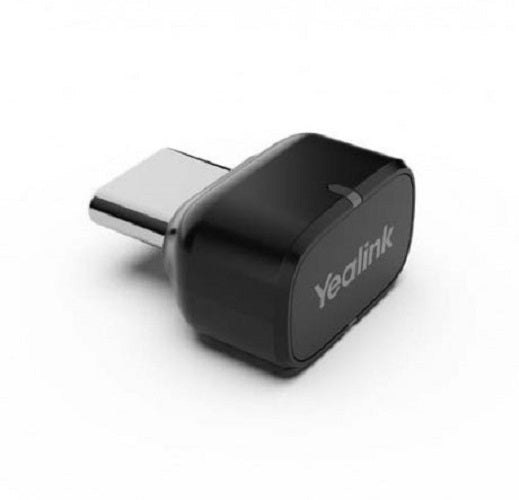
Yealink BT51-C USB-C Bluetooth Dongle
Yealink BT51-C USB-C Bluetooth Dongle
SKU:IPY-BT51-C
Couldn't load pickup availability
- See our return policy
- 12 months Manufacturer Warranty
Product Information
| Brand | Yealink |
|---|---|
| Category | VOIP Headsets |
| SKU | IPY-BT51-C |
| Availability | In Stock |

Overview
- The Yealink BT51-C is a USB-C Bluetooth dongle that provides a straightforward way to connect your Yealink BH72 or BH76 wireless headset to a PC or laptop. Simply plug it in and pair—no drivers or complex setup required. With a 30-metre wireless range, you can move freely around your workspace during calls without losing connection, making it ideal for hybrid and flexible work environments. This dongle is an essential accessory for anyone looking to extend their Yealink headset compatibility beyond dedicated desk phones to their computer setup.
Specifications
| Model | BT51-C |
|---|---|
| Type | USB-C Bluetooth Dongle |
| Compatible Headsets | Yealink BH72, Yealink BH76 |
| Connection | USB-C |
| Wireless Range | 30 metres |
| Setup | Plug-and-play |
| Warranty | 12 months |
Key Features
Ideal For
FAQs
What headsets are compatible with the Yealink BT51-C?
The BT51-C is designed to work with Yealink BH72 and BH76 wireless headsets. It connects these headsets to your PC or laptop via USB-C.
Do I need to install drivers or software?
No. The BT51-C is plug-and-play, meaning you simply connect it to your PC's USB-C port and pair your headset—no additional drivers or software installation is required.
How far can I move away from my PC while using the dongle?
The BT51-C provides a wireless range of up to 30 metres, allowing you to move freely around your workspace during calls.
What is the warranty period?
The Yealink BT51-C comes with a 12-month manufacturer's warranty covering defects and faults.
Can I use the BT51-C with other non-Yealink headsets?
The BT51-C is specifically designed for Yealink BH72 and BH76 headsets. Compatibility with other brands is not guaranteed.
Is the BT51-C compatible with Mac computers?
The product data provided does not specify Mac compatibility. We recommend contacting our support team to confirm compatibility with your specific operating system.