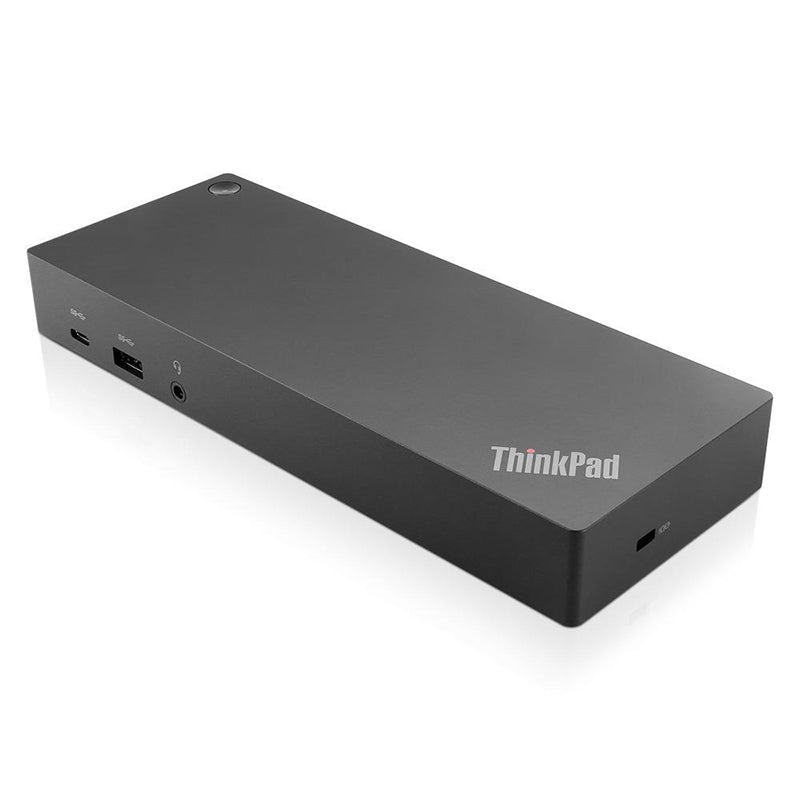
Lenovo ThinkPad Hybrid USB-C Docking Station 135W
Lenovo ThinkPad Hybrid USB-C Docking Station 135W
SKU:NAL-40AF0135AU
The Lenovo ThinkPad Hybrid USB-C Docking Station is a versatile expansion dock designed for enterprise environments. Featuring dual 4K display support, 135W power delivery, and three USB 3.1 ports, it delivers enhanced connectivity and productivity for ThinkPad and compatible laptop users.
Couldn't load pickup availability
- See our return policy
- 3 years Manufacturer Warranty
Product Information
| Brand | Lenovo |
|---|---|
| Category | Notebook Accessories |
| SKU | NAL-40AF0135AU |
| Availability | In Stock |

Overview
- The Lenovo ThinkPad Hybrid USB-C with USB-A Docking Station is engineered for enterprise flexibility. It seamlessly supports both modern USB-C and legacy USB-A equipped laptops, making it ideal for organisations transitioning technology or managing mixed device fleets. The dock delivers dual 4K display capability at 60Hz, enabling immersive multi-monitor workflows without requiring USB-C display support from the host device.
With 135W power delivery, the dock rapidly charges ThinkPad notebooks whilst simultaneously powering external peripherals. The inclusion of three USB 3.1 ports, two USB 2.0 ports, and Gigabit Ethernet provides comprehensive connectivity for modern workplace demands. Enterprise-grade management features such as PXE boot and MAC address pass-through ensure deployment flexibility and security compliance.
The docking solution is compact and lightweight at just 480 grams, making it suitable for both fixed office setups and mobile deployments. Its hybrid connectivity and included USB-C to USB-A adaptor mean it works with virtually any laptop, not just Lenovo devices, making it a practical standardised solution for diverse IT environments.
Specifications
| Colour | Black |
|---|---|
| Weight | 480 g (1.05 lbs) |
| Power Output | 90 W (charging); 135 W (total with power delivery) |
| External Monitors Supported | 2 maximum |
| Display Resolution – DisplayPort | 3840 x 2160 @ 60 Hz (single); 5120 x 2880 @ 60 Hz (dual DP bundled) |
| Display Resolution – HDMI | 3840 x 2160 @ 60 Hz |
| USB Ports | 3x USB 3.1, 2x USB 2.0 |
| Video Outputs | 2x HDMI, 2x DisplayPort |
| Network | Gigabit Ethernet (GLAN) |
| Power Input | USB-C and USB-A (hybrid) |
| Power Plug | Australian Standard Type I |
| Connectivity | USB-C port (primary); USB-A port (legacy support) |
| Included Accessories | USB-C to USB-A adaptor |
| Hardware Requirements | Machine with full-function USB-C port or USB 3.0 port |
| Operating System Support | Windows 10, Windows 7 |
| Certifications | BSMI, CB, CE, cULus, EAC, FCC/ICES, Israel SII, KCC, LoA, NOM, RCM, Serbia Kvalitet, TÜV Mark, Ukraine DoC, VCCI |
| Warranty | 3 years |
Key Features
Ideal For
FAQs
Can I use this docking station with non-Lenovo laptops?
Yes. The dock includes a USB-C to USB-A adaptor, allowing it to work with most laptops that have USB 3.0 or USB-C ports. This makes it suitable for mixed-device environments.
Does my laptop need USB-C display support for 4K output?
No. The dock has its own display hardware and does not require the connected device to support USB-C display output. This provides greater compatibility across device types.
How many monitors can I connect at once?
You can connect up to two external monitors using the HDMI and DisplayPort outputs. You can also bundle two DisplayPort connections for extended resolution up to 5120 x 2880 @ 60 Hz.
What is the power delivery capacity?
The dock provides 135W total power capacity, with 90W available for charging and powering peripheral devices connected to the dock.
Is there network connectivity included?
Yes. The dock includes a Gigabit Ethernet port for wired network connectivity, reducing reliance on wireless networks in office environments.
What is the warranty period?
The Lenovo ThinkPad Hybrid Docking Station includes a 3-year manufacturer warranty.
Is this dock suitable for hot-desking environments?
Yes. The hybrid USB-C/USB-A design, compact 480g form factor, and enterprise management features (PXE boot, MAC address pass-through) make it well-suited for shared desk and hot-desking scenarios.