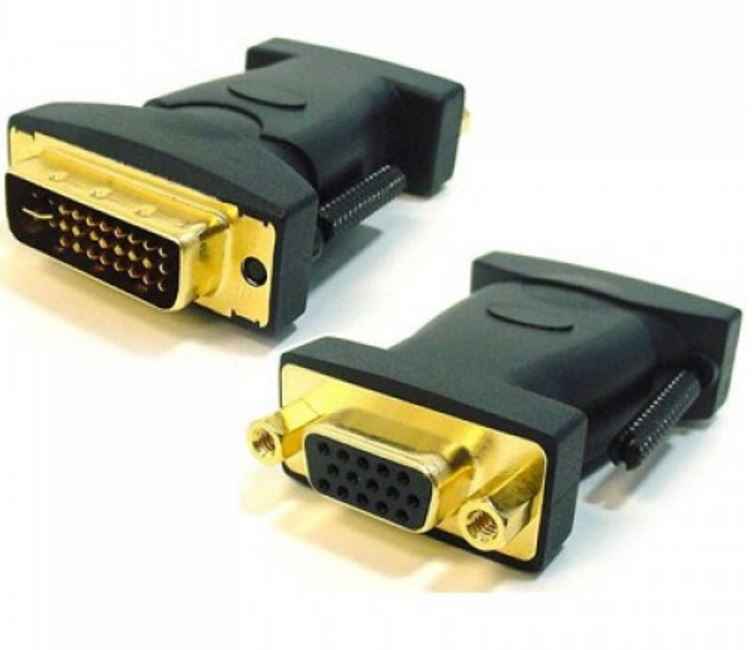
Astrotek DVI to VGA Adapter Converter Gold Plated
Astrotek DVI to VGA Adapter Converter Gold Plated
SKU:CBAT-DVIVGA-MF
Couldn't load pickup availability
- See our return policy
- 12 Manufacturer Warranty
Product Information
| Brand | Astrotek |
|---|---|
| Category | Cables |
| SKU | CBAT-DVIVGA-MF |
| Availability | In Stock |

Overview
- The Astrotek DVI to VGA Adapter provides a practical solution for connecting DVI-I equipped computers and graphics cards to VGA monitors and displays. This passive adapter leverages the DVI-I connector's integrated analogue capabilities to convert the digital signal pathway into standard VGA output without requiring external power or drivers.
Ideal for organisations with mixed display environments, this adapter allows you to extend the life of existing VGA monitors whilst deploying newer DVI-equipped workstations. The gold-plated connectors ensure reliable signal transmission and resist corrosion, maintaining consistent video quality across extended deployments.
Supporting resolutions up to 1600 x 1200 pixels, the adapter is suitable for standard business displays, presentations, and professional workstation setups where legacy VGA infrastructure remains in use.
Specifications
| connector_type_input | DVI-I 24+5 pin male |
|---|---|
| connector_type_output | VGA 15-pin female |
| maximum_resolution | 1600 x 1200 pixels |
| connector_finish | Gold-plated |
| power_required | None (passive) |
| warranty_months | 12 |
| manufacturer_sku | AT-DVIVGA-MF |
Key Features
Ideal For
FAQs
What is the difference between DVI-I and DVI-D connectors?
DVI-I (Integrated) connectors support both digital and analogue signals, allowing conversion to VGA. DVI-D (Digital) connectors carry only digital signals and cannot be converted to VGA. This adapter requires a DVI-I port on your graphics card or computer.
Can I use this adapter with DVI-D ports?
No. This adapter is designed for DVI-I ports only, which include analogue signal support. DVI-D ports carry digital signals exclusively and are not compatible with this VGA converter.
What resolution does this adapter support?
The adapter supports video resolutions up to 1600 x 1200 pixels, suitable for standard office monitors and business displays.
Does this adapter require external power?
No. This is a passive adapter that requires no additional power source. It simply converts the signal type from DVI-I to VGA.
Is installation complicated?
Installation is straightforward. Connect the DVI-I cable from your computer to the adapter's DVI input, then plug your VGA monitor cable into the adapter's VGA output. No drivers or additional configuration is required.
What warranty does this adapter include?
The Astrotek DVI to VGA Adapter comes with a 12-month manufacturer warranty covering defects in materials and workmanship.