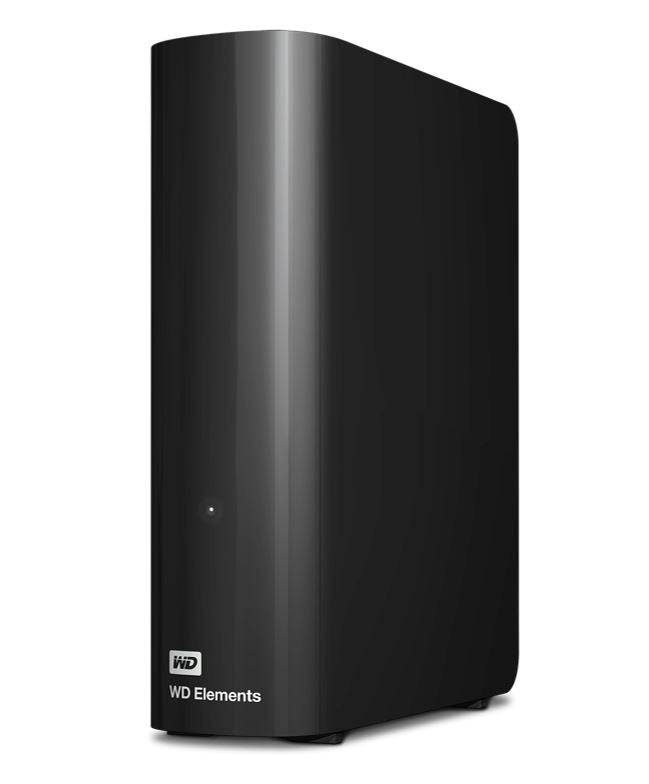
Western Digital WD Elements Desktop 14TB External Hard Drive
Western Digital WD Elements Desktop 14TB External Hard Drive
SKU:HXWD-ELM35-14TB
The Western Digital WD Elements Desktop 14TB is a USB 3.0 external hard drive designed for expanding PC storage and backing up critical files. Featuring plug-and-play connectivity, NTFS formatting for Windows compatibility, and durable construction, it delivers reliable data storage for businesses and professionals.
Couldn't load pickup availability
- See our return policy
- 24 months limited Manufacturer Warranty
Product Information
| Brand | Western Digital |
|---|---|
| Category | Hard Drives - External |
| SKU | HXWD-ELM35-14TB |
| Availability | Out of Stock |

Overview
- The Western Digital WD Elements Desktop 14TB external hard drive provides fast, simple storage expansion for Windows PCs. With 14TB capacity in a compact form factor, it's ideal for businesses needing to offload data from full internal drives, recover PC performance, and maintain reliable backups.
USB 3.0 connectivity delivers fast data transfer speeds while maintaining backward compatibility with USB 2.0 devices. The drive arrives pre-formatted in NTFS, supporting Windows 10, 8.1, and 7, so it's ready to use immediately—no configuration or software installation needed.
Built with Western Digital's quality standards, the WD Elements features shock tolerance and durability for long-term reliability. The protective enclosure combines style with practical protection for portable or desktop use. Backed by a 24-month limited warranty, it's a dependable choice for expanding storage across your business infrastructure.
Specifications
| Capacity | 14TB |
|---|---|
| Interface | USB 3.0 and USB 2.0 |
| File System | NTFS |
| Compatibility | Windows 10, Windows 8.1, Windows 7 |
| Form Factor | 3.5' Desktop |
| Dimensions (L x W x H) | 5.31' x 1.89' x 6.53' |
| Warranty | 24 months limited |
Key Features
Ideal For
FAQs
Is the WD Elements 14TB compatible with Mac computers?
The WD Elements Desktop is pre-formatted in NTFS for Windows compatibility. While Mac computers can read NTFS drives with third-party software, it is optimised for Windows 10, 8.1, and 7. For native Mac compatibility, Western Digital offers different external drive models.
Do I need to install software to use this drive?
No. The WD Elements is plug-and-play. Simply connect it to your Windows PC via USB, and it will be recognised immediately. No software installation or configuration is required.
What's included in the box?
The drive comes with the WD Elements external hard drive, a USB cable, an AC adapter, and a quick install guide.
Can I use this drive with USB 2.0 devices?
Yes. The WD Elements supports both USB 3.0 and USB 2.0. It will work with older USB 2.0 devices, though transfer speeds will be limited by the USB 2.0 standard.
What warranty does the WD Elements include?
The drive includes a 24-month limited warranty covering manufacturing defects and hardware failures.
Is this suitable for external backups?
Yes. The WD Elements is ideal for backing up important files, documents, photos, and videos. However, for automated scheduled backups, you should use dedicated backup software compatible with your operating system.
Will connecting this drive improve my PC's performance?
Yes. If your internal hard drive is nearly full, PC performance slows down. By transferring files to the WD Elements, you free up space on your internal drive, which can help restore system speed and responsiveness.