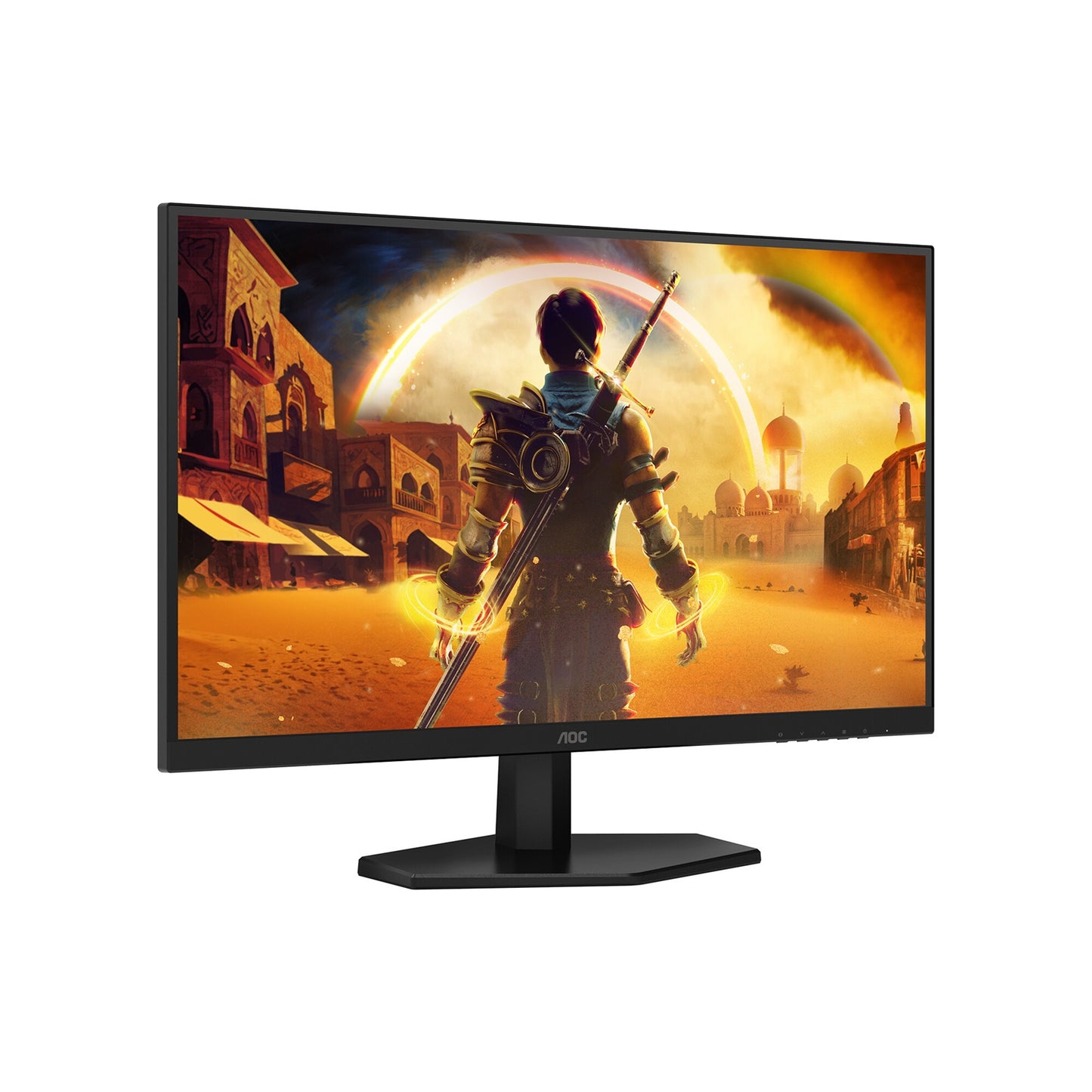
AOC Q27G40E 27" 180Hz QHD Gaming Monitor
AOC Q27G40E 27" 180Hz QHD Gaming Monitor
SKU:MNAO-Q27G40E
Couldn't load pickup availability
- See our return policy
- 36 months Manufacturer Warranty
Product Information
| Brand | AOC |
|---|---|
| Category | Monitors |
| SKU | MNAO-Q27G40E |
| Availability | In Stock |

Overview
- The AOC Q27G40E is a high-performance 27" gaming monitor built for players who demand responsive, visually stunning gameplay. With a 180Hz refresh rate, 0.3ms response time, and G-Sync compatibility, it eliminates tearing and ghosting to deliver buttery-smooth action. The Fast IPS panel provides accurate, vibrant colours across a 16.7-million colour palette, whilst HDR10 and DisplayHDR 400 support reveal fine detail in shadows and highlights.
This monitor combines speed with visual quality. Shadow Control technology helps spot enemies in dark areas without losing highlight detail, whilst Sniper Scope offers precision targeting assistance. Gaming Motion features including MBR Sync reduce motion blur during fast-paced action, giving you the tactical edge in competitive play.
Comfort features are equally important. Flicker-Free technology and Low Blue Mode reduce eye strain during extended gaming sessions. The 178° viewing angles and adjustable stand ensure an ergonomic setup that works for your space. With two connectivity options—DisplayPort 1.4 and HDMI 2.0—it integrates seamlessly with modern gaming PCs and consoles.
Specifications
| Display Type | 27" Fast IPS Panel |
|---|---|
| Native Resolution | 2560 × 1440 (QHD) |
| Refresh Rate | 180Hz (DisplayPort 1.4); 144Hz (HDMI 2.0) |
| Response Time | 0.3ms (GtG) / 0.5ms (MPRT) |
| Brightness (Typical) | 300 cd/m² |
| Contrast Ratio | 1000:1 (typical); 80,000,000:1 (smart contrast) |
| Colour Gamut | sRGB 127% (CIE1931); DCI-P3 102% (CIE1976) |
| Colour Accuracy | Delta E < 2 |
| Viewing Angles | 178° (H) / 178° (V) |
| HDR Support | HDR10, DisplayHDR 400 |
| Pixel Pitch | 0.2331 × 0.2331 mm |
| Panel Size | 596.736 (H) × 335.664 (V) mm |
| Aspect Ratio | 16:9 |
| Input Lag | Yes (Low) |
| Adaptive Sync | G-Sync Compatible |
| Connectivity | DisplayPort 1.4 × 1; HDMI 2.0 × 1 |
| HDCP Version | 2.2 (both inputs) |
| Audio | Earphone jack (no built-in speakers) |
| USB Hub | No |
| Picture-in-Picture / Picture-by-Picture | No |
| Stand Adjustment | Tilt (−5° to 23°) |
| Wall Mount | 100 × 100 mm VESA |
| Height (without stand) | 366.3 mm |
| Height (with stand) | 449.7 mm |
| Width | 613.9 mm |
| Depth (without stand) | 51.1 mm |
| Depth (with stand) | 197.6 mm |
| Weight (without stand) | 3.14 kg |
| Weight (with stand) | 3.53 kg |
| Power Consumption (Maximum) | 50W |
| Power Consumption (Typical) | 21W |
| Power Consumption (Standby) | 0.5W |
| Power Consumption (Off) | 0.3W |
| Power Supply | External 20VDC, 2.25A |
| Operating Temperature | 0° to 40°C |
| Operating Humidity | 10% to 85% |
| Storage Temperature | −20° to 55°C |
| Storage Humidity | 5% to 93% |
| Certifications | CE, CB, RoHS |
| Software Compatibility | Windows 11, Windows 10 |
| Plug & Play | Yes (DDC/CI) |
| Colour | Black |
| Warranty | 36 months |
Key Features
Ideal For
FAQs
What is the difference between the 180Hz DisplayPort and 144Hz HDMI modes?
The monitor supports 180Hz refresh rate via DisplayPort 1.4, ideal for maximum smoothness in fast-paced games. Via HDMI 2.0, it supports 144Hz, which still provides excellent performance but at a lower refresh rate due to HDMI bandwidth limitations. For the highest refresh rate, use DisplayPort 1.4.
Is this monitor suitable for console gaming?
Yes, the monitor works with consoles via HDMI 2.0, though the refresh rate will be limited to 144Hz. Most modern consoles output at 60–120Hz, so you'll get excellent performance. Check your console's supported resolutions and refresh rates for optimal compatibility.
Does the AOC Q27G40E support G-Sync or FreeSync?
The monitor is G-Sync compatible, meaning it works with NVIDIA graphics cards. It does not officially support AMD FreeSync, though some users report variable success with adaptive sync features on AMD systems.
What does the 0.3ms response time mean for gaming?
The 0.3ms (grey-to-grey) response time is one of the fastest available, meaning pixels change colour almost instantly. This reduces ghosting and motion blur, giving you a competitive edge in fast-paced games like shooters and fighting games.
Is this monitor good for colour-critical work like photo or video editing?
Yes, it offers excellent colour accuracy with Delta E < 2, sRGB 127% coverage, and DCI-P3 102% gamut. HDR10 and DisplayHDR 400 support make it suitable for grading and visual content creation, though it's primarily marketed as a gaming display.
Can I mount this monitor on a wall?
Yes, the monitor supports VESA 100 × 100 mm wall mounting. You'll need a compatible VESA mount bracket, and the monitor can be removed from its stand for installation.
What connectivity options are available?
The monitor includes one DisplayPort 1.4 and one HDMI 2.0 input, plus a 3.5mm earphone jack. There is no USB hub or other connectivity options. This setup is ideal for connecting a gaming PC or console without requiring additional adapters.
Does this monitor have built-in speakers?
No, there are no built-in speakers. You can connect external speakers or headphones via the 3.5mm earphone jack, or use audio output from your PC or console separately.