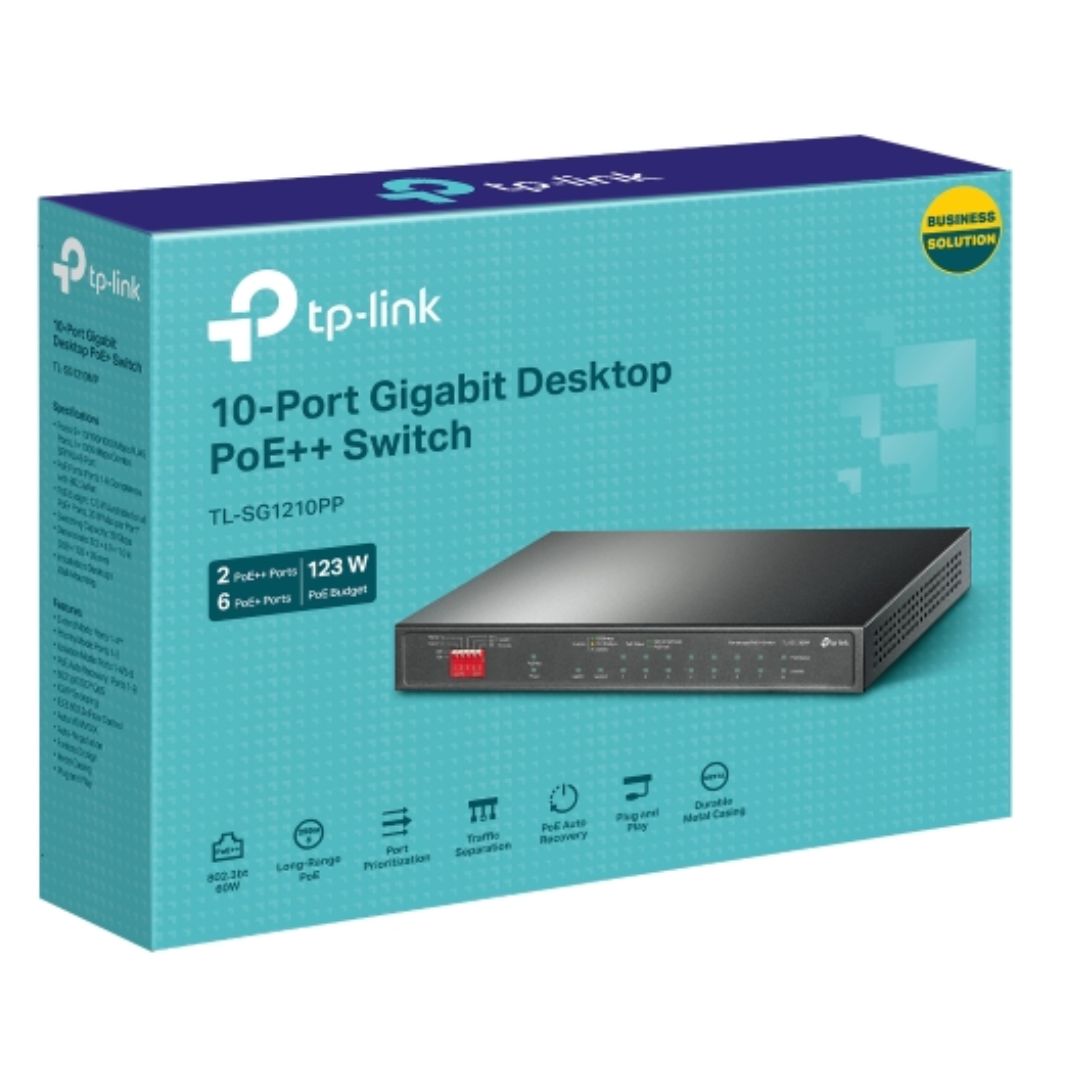
TP-Link TL-SG1210PP 10-Port Gigabit Desktop Switch with PoE+/PoE++
TP-Link TL-SG1210PP 10-Port Gigabit Desktop Switch with PoE+/PoE++
SKU:NWTL-SG1210PP
The TP-Link TL-SG1210PP is a 10-port Gigabit desktop switch designed for small to medium business networks. Featuring 6 PoE+ and 2 PoE++ ports, combined with 802.1p/DSCP QoS support and plug-and-play deployment, it simplifies network infrastructure for IT managers and business owners.
Couldn't load pickup availability
- See our return policy
- 60 Manufacturer Warranty
Product Information
| Brand | TP-LINK |
|---|---|
| Category | Network - Consumer |
| SKU | NWTL-SG1210PP |
| Availability | In Stock |

Overview
- The TP-Link TL-SG1210PP is a compact, managed Gigabit desktop switch built for businesses that need both data and power delivery in a single infrastructure. With 8 dedicated PoE ports (6× PoE+ and 2× PoE++) and 123W total power budget, it eliminates the need for separate power supplies for IP cameras, access points, and other networked devices.
Key operational advantages include plug-and-play installation, meaning network administrators can deploy it without complex configuration. The switch supports IEEE 802.3af/at/bt standards, ensuring broad compatibility with existing powered devices. Priority Mode and Isolation Mode give IT teams fine-grained control over traffic patterns, making it ideal for businesses running video surveillance alongside general network traffic.
With a 5-year warranty and features like PoE Auto Recovery, which automatically restarts unresponsive devices, the TL-SG1210PP is designed for reliability in small office and distributed branch deployments. The combo SFP port provides optical connectivity options for future scalability.
Specifications
| Brand | TP-Link |
|---|---|
| Model | TL-SG1210PP |
| Product Type | Managed Gigabit Desktop Switch |
| Ports | 9× 10/100/1000Mbps RJ45 + 1× 1000Mbps SFP/RJ45 Combo |
| Total Ports | 10 Gigabit ports |
| PoE Ports | 8 (6× PoE+ + 2× PoE++) |
| PoE+ Power per Port | 30W maximum |
| PoE++ Power per Port | 60W maximum |
| Total PoE Budget | 123W |
| PoE Standards Supported | IEEE 802.3af, IEEE 802.3at, IEEE 802.3bt |
| Data Rate | 10/100/1000Mbps per port |
| QoS Support | 802.1p/DSCP prioritisation |
| Extended Transmission Range | Up to 250m in Extend Mode |
| Key Features | Plug-and-play, PoE Auto Recovery, Isolation Mode, Priority Mode |
| Warranty | 5 years |
| Warranty Period (Months) | 60 |
Key Features
Ideal For
FAQs
What is the difference between PoE+, PoE++, and standard PoE on this switch?
This switch supports three PoE standards. Standard PoE (802.3af) provides up to 15.4W, PoE+ (802.3at) delivers 30W per port, and PoE++ (802.3bt) supplies up to 60W per port. The TL-SG1210PP has 6× PoE+ ports and 2× PoE++ ports, allowing you to power high-power devices like pan-tilt-zoom cameras with the PoE++ ports.
Can I use this switch for IP camera systems?
Yes. The TL-SG1210PP is well-suited for video surveillance. It offers 8 PoE ports with 123W total power budget, sufficient for multiple powered cameras. Priority Mode allows you to prioritise video traffic on specific ports, ensuring consistent streaming even during peak network usage.
What does 'Extend Mode' mean, and when would I use it?
Extend Mode allows the switch to transmit data and power up to 250 metres via a single cable. Standard PoE is limited to about 100 metres. This is useful for deploying powered devices in distant locations, such as outdoor access points or remote camera installations.
What is PoE Auto Recovery, and why is it important?
PoE Auto Recovery automatically reboots powered devices that become unresponsive or drop connection. This is valuable for reducing downtime in surveillance and access point deployments, as devices are restored without manual intervention.
Does this switch require special configuration or driver installation?
No. The TL-SG1210PP is a plug-and-play device that works immediately upon connection. However, advanced features like Priority Mode and Isolation Mode can be configured through a web interface if needed, though standard operation requires no setup.
What is Isolation Mode, and who would use it?
Isolation Mode enables one-click traffic separation between ports, preventing devices on isolated ports from communicating with each other. This is useful for security purposes, such as separating guest networks or ensuring visitor devices cannot access internal systems.
Can I connect optical fibre to this switch?
Yes. The TL-SG1210PP includes a combo SFP/RJ45 port that supports both standard Gigabit Ethernet and optical fibre (SFP) connectivity, allowing you to connect to other switches or network infrastructure via fibre where needed.