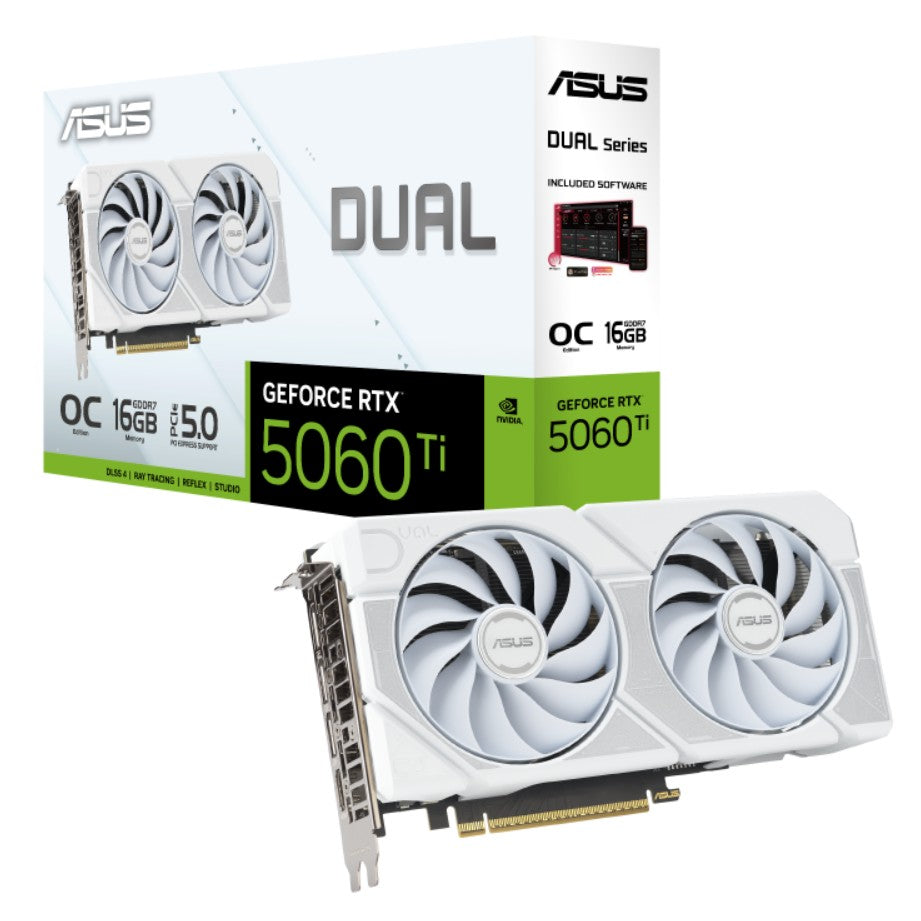
ASUS Dual GeForce RTX 5060 Ti 16GB White OC
ASUS Dual GeForce RTX 5060 Ti 16GB White OC
SKU:VCA-RTX5060TI-O16G-DU-W
Couldn't load pickup availability
- See our return policy
- 36 months Manufacturer Warranty
Product Information
| Brand | ASUS |
|---|---|
| Category | Video/Graphics Cards |
| SKU | VCA-RTX5060TI-O16G-DU-W |
| Availability | Out of Stock |

Overview
- The ASUS Dual GeForce RTX 5060 Ti 16GB is a next-generation graphics card engineered for high-performance gaming and professional compute tasks. Built on the RTX 5000 series architecture, it delivers 759 AI TFLOPS and features 4608 CUDA cores paired with 16GB of fast GDDR7 memory operating at 28Gbps. The card supports PCIe 5.0, ensuring future-proof compatibility with modern motherboards and eliminating bandwidth bottlenecks.
Designed for builders with space constraints, the 2.5-slot form factor houses advanced thermal engineering without requiring excessive case real estate. Dual Axial-tech fans maintain optimal temperatures under load, while the compact 229 x 120 x 50mm footprint integrates easily into standard mid-tower builds. OC mode delivers a 2632MHz boost clock, ideal for users seeking maximum frame rates in demanding titles.
Connectivity is comprehensive: one HDMI 2.1b port and three DisplayPort 2.1b outputs enable multi-display configurations with support for up to 4 simultaneous displays. The card requires a single 8-pin PCIe power connector and a recommended 550W power supply, making it practical for mainstream gaming and creative systems. ASUS GPU Tweak III software provides in-game overclocking and performance tuning for experienced users.
Specifications
| GPU Architecture | NVIDIA GeForce RTX 5060 Ti |
|---|---|
| CUDA Cores | 4608 |
| Memory Capacity | 16GB |
| Memory Type | GDDR7 |
| Memory Speed | 28 Gbps |
| Memory Interface | 128-bit |
| Engine Clock Base | 2602MHz |
| Engine Clock OC Mode | 2632MHz |
| Bus Interface | PCI Express 5.0 |
| Maximum Display Resolution | 7680 x 4320 |
| Display Outputs | 1x HDMI 2.1b, 3x DisplayPort 2.1b |
| Maximum Displays Supported | 4 |
| OpenGL Support | OpenGL 4.6 |
| HDCP Support | Yes (2.3) |
| AI Performance | 759 TOPs |
| Card Dimensions | 229 x 120 x 50mm |
| Form Factor | 2.5-Slot |
| Power Connectors | 1x 8-pin PCIe |
| Recommended PSU | 550W |
| NVIDIA Boost | Yes |
| NVLink Support | No |
| Warranty | 36 months |
Key Features
Ideal For
FAQs
What power supply do I need for the RTX 5060 Ti?
ASUS recommends a minimum 550W power supply for systems using the RTX 5060 Ti. This recommendation assumes a fully overclocked GPU and CPU configuration. For systems with standard CPU clocks, a quality 500W PSU may be adequate, but 550W provides comfortable headroom.
Does the RTX 5060 Ti support multiple monitors?
Yes, the card supports up to 4 simultaneous displays through its HDMI 2.1b and DisplayPort 2.1b outputs, making it ideal for multi-monitor gaming and productivity setups.
What cooling solution does this graphics card use?
The ASUS Dual features dual Axial-tech fans designed to optimise airflow to the heatsink, ensuring efficient thermal dissipation during gaming and compute workloads. The compact 2.5-slot design houses advanced cooling technology.
Is the RTX 5060 Ti compatible with PCIe 4.0 motherboards?
Yes, the RTX 5060 Ti is backward-compatible with PCIe 4.0 and earlier standards. However, it fully supports PCIe 5.0 on newer motherboards for maximum bandwidth performance.
Can I use ASUS GPU Tweak III to overclock this card?
Yes, ASUS GPU Tweak III software is included and allows you to adjust clock speeds, memory timings, and fan curves for customised performance tuning. GeForce Game Ready and Studio drivers are also provided.
What is the warranty on the ASUS Dual RTX 5060 Ti?
The card comes with a 36-month manufacturer's warranty, providing three years of coverage against defects and hardware failure.
What are the key differences between OC mode and default mode?
OC mode boosts the engine clock to 2632MHz compared to 2602MHz in default mode. OC mode provides enhanced performance for gaming but may generate more heat. Users can switch between modes via GPU Tweak III.