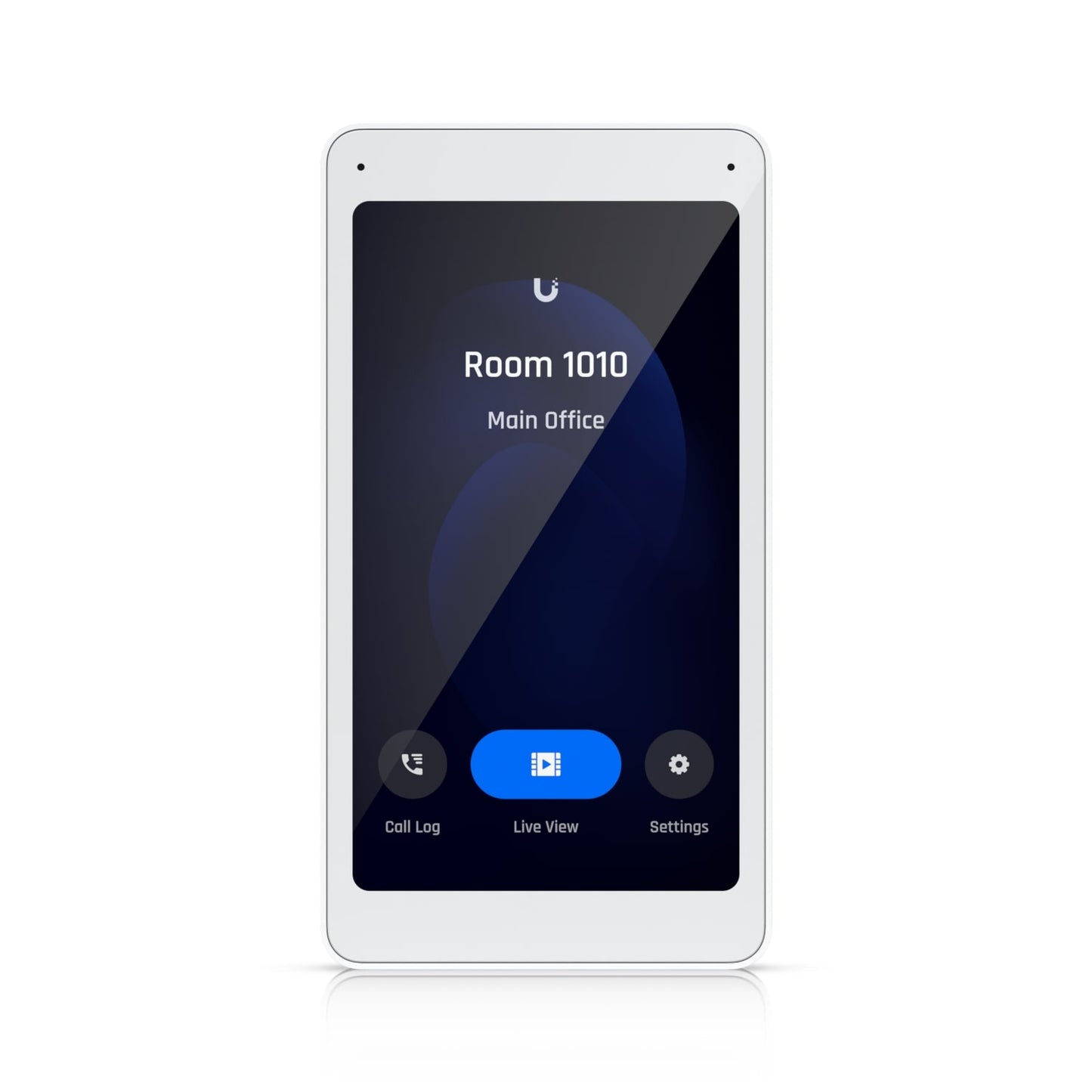
Ubiquiti UA-Intercom-Viewer Intercom Display
Ubiquiti UA-Intercom-Viewer Intercom Display
SKU:NHU-UA-INTERCOM-VIEW
The Ubiquiti UA-Intercom-Viewer is an intercom display unit designed for visitor screening and remote access control across multiple building locations. Featuring a 5-inch touch display, two-way audio, and PoE connectivity, it integrates seamlessly with UniFi Access systems for comprehensive security management.
Couldn't load pickup availability
- See our return policy
- 12 months Manufacturer Warranty
Product Information
| Brand | Ubiquiti |
|---|---|
| Category | Network - UniFi |
| SKU | NHU-UA-INTERCOM-VIEW |
| Availability | In Stock |

Overview
- The Ubiquiti UA-Intercom-Viewer is a professional-grade intercom display designed to work alongside the UniFi Access Intercom system. It enables remote visitor screening and access control from multiple locations throughout your facility, allowing staff to monitor and communicate with visitors without being physically present at entry points.
The intuitive 5-inch touch display provides instant live video feed and supports two-way audio communication, making it easy to verify visitor identity and grant or deny access remotely. PoE connectivity simplifies installation by delivering both power and data through a single network cable, reducing infrastructure costs and installation complexity.
Ideal for organisations managing multiple buildings or large campuses, the Intercom Viewer allows centralised visitor management and access control through your existing UniFi ecosystem. It integrates seamlessly with UniFi Access systems, providing consistent security policies across all entry points.
Specifications
| Brand | Ubiquiti |
|---|---|
| Model | UA-Intercom-Viewer |
| Product Type | Intercom Display Unit |
| Display Size | 5 inches |
| Display Type | Touch Display |
| Audio | Two-way audio |
| Power Method | PoE (Power over Ethernet) |
| Connectivity | Network (PoE switch) |
| Primary Function | Visitor screening and remote access control |
| Deployment | Multi-location capable |
| System Integration | Ubiquiti UniFi Access |
| Warranty | 12 months |
Key Features
Ideal For
FAQs
What intercom system does the UA-Intercom-Viewer work with?
The UA-Intercom-Viewer pairs with the Ubiquiti Access Intercom and integrates with the UniFi Access system for comprehensive visitor screening and access control.
How is the display powered?
The UA-Intercom-Viewer is powered via PoE (Power over Ethernet), which means it requires only a single network cable connected to a PoE-enabled switch for both power and data connectivity.
Can I install multiple displays across different locations?
Yes, the UA-Intercom-Viewer is designed for multi-location deployment, allowing you to monitor and control access from multiple display units throughout your building or campus.
Is two-way audio included?
Yes, the display features two-way audio capability, enabling staff to communicate with visitors remotely for visitor screening and verification.
What is the display size?
The UA-Intercom-Viewer features a 5-inch touch display, providing a clear interface for viewing live feed and managing visitor access.
What warranty does it include?
The UA-Intercom-Viewer includes a 12-month manufacturer warranty covering defects in materials and workmanship.
Do I need special network equipment to install this?
You'll need a PoE-enabled network switch to power and connect the display. This simplifies installation by eliminating the need for separate power infrastructure.