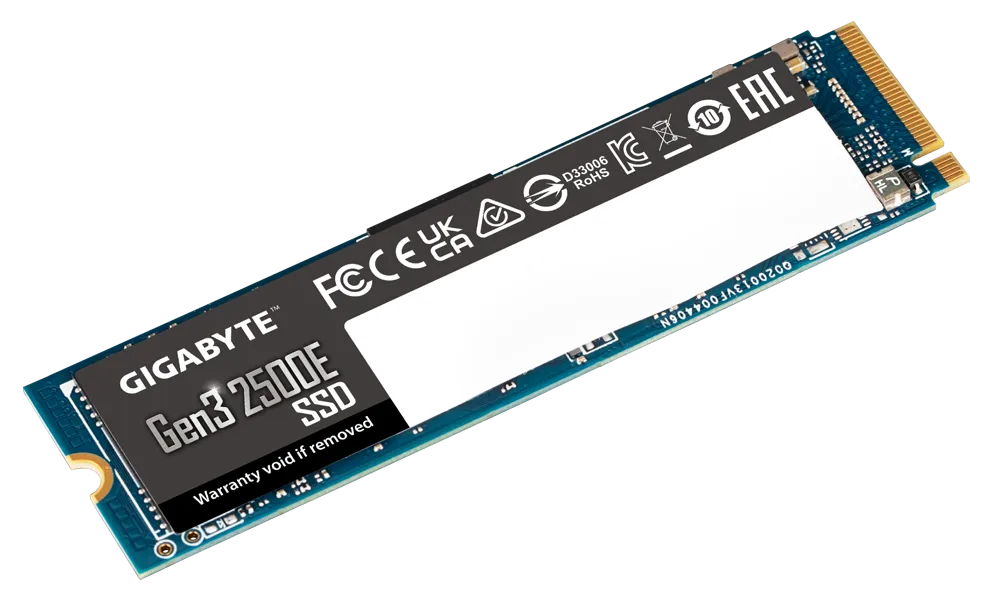
Gigabyte G325E 500GB M.2 NVMe SSD
Gigabyte G325E 500GB M.2 NVMe SSD
SKU:HBG-G325E-500G-M2
The Gigabyte G325E 500GB is a high-performance M.2 NVMe SSD featuring PCIe 3.0x4 connectivity and sequential read speeds up to 2300 MB/s. Designed for systems requiring reliable storage and fast data transfer, it delivers dependable performance for business and professional applications.
Couldn't load pickup availability
- See our return policy
- 3 years or 120 TBW (whichever comes first) Manufacturer Warranty
Product Information
| Brand | Gigabyte |
|---|---|
| Category | Hard Disk Drives - SSD |
| SKU | HBG-G325E-500G-M2 |
| Availability | In Stock |

Overview
- The Gigabyte G325E 500GB is a PCIe 3.0x4 M.2 NVMe SSD designed to deliver fast, dependable storage for business computing. With sequential read speeds up to 2300 MB/s and write speeds up to 1500 MB/s, it accelerates system performance and reduces wait times for data-intensive tasks.
This drive offers strong random I/O performance with read speeds up to 60K IOPS and write speeds up to 240K IOPS, making it suitable for multitasking environments and applications that require frequent data access. The M.2 2280 form factor makes installation straightforward in most modern laptops, desktops, and servers.
Built for longevity with a 1.5 million hour MTBF rating and backed by a 3-year limited warranty (120 TBW), the G325E provides the reliability Australian businesses need for continuous operation.
Specifications
| Brand | Gigabyte |
|---|---|
| Model | G325E 500G |
| Capacity | 500GB |
| Interface | PCIe 3.0x4, NVMe 1.3 |
| Form Factor | M.2 2280 |
| Sequential Read Speed | Up to 2300 MB/s |
| Sequential Write Speed | Up to 1500 MB/s |
| Random Read IOPS | Up to 60K |
| Random Write IOPS | Up to 240K |
| Dimensions | 22 x 2.3 x 80 mm |
| MTBF | 1.5 million hours |
| Power Consumption (Active Read) | 2670 mW |
| Power Consumption (Active Write) | 3200 mW |
| Power Consumption (Idle) | 30 mW |
| Power Consumption (L1.2) | Less than 5 mW |
| Operating Temperature | 0°C to 70°C |
| Storage Temperature | -40°C to 85°C |
| Warranty | 3 years or 120 TBW (whichever comes first) |
Key Features
Ideal For
FAQs
What is the storage capacity of the Gigabyte G325E 500GB?
The drive provides 500GB of usable storage capacity, suitable for operating systems, applications, and data files in business computing environments.
Is this SSD compatible with my laptop or desktop?
Yes, the M.2 2280 form factor is compatible with most modern laptops, ultrabooks, and desktop computers that have an M.2 NVMe slot. Check your device specifications to confirm availability of an M.2 slot.
How fast are the read and write speeds?
The G325E delivers sequential read speeds up to 2300 MB/s and sequential write speeds up to 1500 MB/s, making it suitable for fast boot times and rapid file transfers.
What does the 3-year warranty cover?
The limited 3-year warranty covers manufacturing defects and hardware failures. The warranty is valid for 3 years or 120 TBW (Terabytes Written), whichever comes first.
What is MTBF and why does it matter?
MTBF (Mean Time Between Failure) of 1.5 million hours indicates the expected operational lifespan before hardware failure. A higher MTBF rating suggests greater reliability for continuous business use.
What is TBW and how does it affect warranty?
TBW (Terabytes Written) measures the total data volume that can be written to the drive. The G325E has a 120 TBW limit, meaning warranty coverage ends when you reach 120TB of data written or 3 years, whichever occurs first.
Is installation easy?
Yes, M.2 SSDs install into the M.2 slot on your motherboard. Most systems require just inserting the drive at a 30-degree angle and securing it with a screw. No additional power cables are needed.