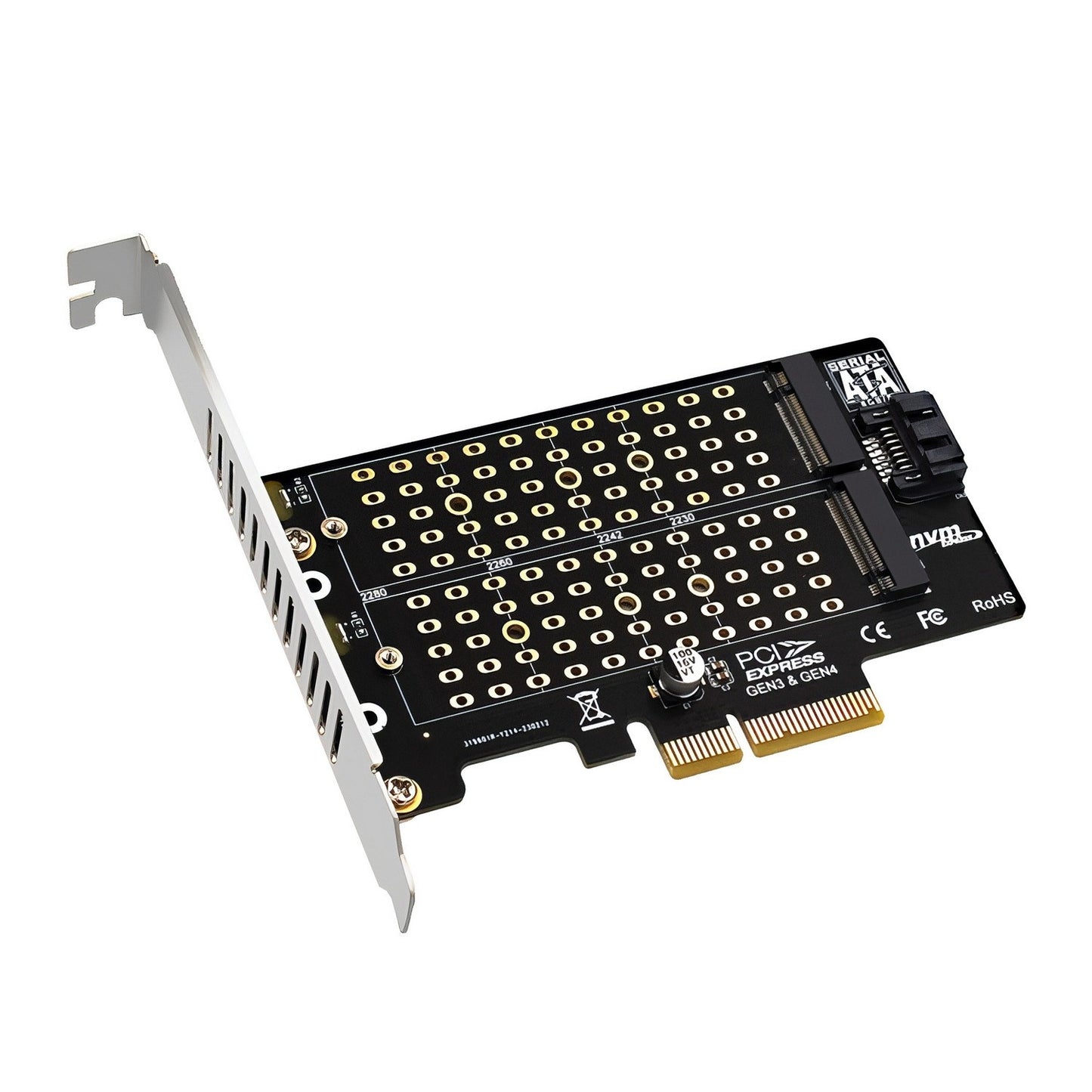
Simplecom EC412v2 M.2 SSD to PCIe Expansion Card
Simplecom EC412v2 M.2 SSD to PCIe Expansion Card
SKU:MBSI-EC412V2
The Simplecom EC412v2 is an M.2 SSD expansion card designed to add dual storage to existing PCs. Featuring support for both NVMe and SATA M.2 drives, PCIe x4 interface, and simultaneous multi-drive operation, it delivers flexible storage expansion for IT professionals and system builders.
Couldn't load pickup availability
- See our return policy
- 12 months Manufacturer Warranty
Product Information
| Brand | Simplecom |
|---|---|
| Category | Motherboards |
| SKU | MBSI-EC412V2 |
| Availability | Out of Stock |

Overview
- The Simplecom EC412v2 is a PCI Express expansion card that adds two M.2 SSD slots to any compatible motherboard. It provides flexible storage expansion by supporting both high-speed NVMe and traditional SATA M.2 SSDs simultaneously, making it ideal for systems that need additional storage without motherboard replacement.
With PCIe x4 connectivity (backward compatible with x8 and x16 slots), the card delivers NVMe speeds up to 64 Gbps on PCIe 4.0, while maintaining SATA compatibility at 6 Gbps. This dual-protocol support makes it adaptable to mixed storage environments and legacy systems.
The expansion card includes a low-profile bracket for compact installations, SATA cable for B Key drive connectivity, and supports all common M.2 form factors. It's an efficient solution for IT professionals and businesses looking to expand storage without significant system downtime or costly motherboard upgrades.
Specifications
| Model | EC412v2 |
|---|---|
| Brand | Simplecom |
| Product Type | M.2 SSD PCIe Expansion Card |
| Interface | PCI Express x4 (backward compatible with x8 and x16 slots) |
| Number of M.2 Slots | 2 |
| M Key Slot (NVMe) | One M Key slot for NVMe M.2 SSDs |
| B Key Slot (SATA) | One B Key slot for SATA M.2 SSDs |
| NVMe Bandwidth | Up to 64 Gbps (PCIe 4.0), 32 Gbps (PCIe 3.0) |
| SATA Bandwidth | Up to 6 Gbps |
| Supported M.2 Form Factors | 2230, 2242, 2260, 2280 |
| Dual Drive Support | Supports NVMe M.2 and SATA M.2 SSDs simultaneously |
| Bracket Type | Low-profile design |
| Warranty | 12 months |
| Package Contents | 1x PCIe Expansion Card, 1x Low-profile bracket, 1x SATA Cable, 1x Screws Set |
Key Features
Ideal For
FAQs
Can I use both M.2 slots at the same time?
Yes, the EC412v2 supports both NVMe (M Key) and SATA (B Key) M.2 drives simultaneously. This allows you to expand storage with multiple drives in a single card.
What PCIe slots are compatible with this card?
The card is designed for PCIe x4 slots but is backward compatible with PCIe x8 and x16 slots on most motherboards. It will not fit in PCIe x1 or x2 slots.
Do I need a SATA cable for the NVMe slot?
No. Only the SATA M.2 (B Key) slot requires a SATA 7-pin data cable connection to the motherboard. The NVMe (M Key) slot does not require a SATA cable as it uses the PCIe interface.
What speeds can I expect from NVMe drives on this card?
The NVMe (M Key) slot supports data transfer rates up to 64 Gbps on PCIe 4.0 and 32 Gbps on PCIe 3.0, depending on your motherboard's PCIe generation.
Which M.2 SSD sizes are supported?
The expansion card supports all common M.2 form factors: 2230, 2242, 2260, and 2280. Always verify your specific drive compatibility before purchasing.
Is installation difficult?
Installation is straightforward. Insert the card into a compatible PCIe slot, secure with the included bracket, and connect the SATA cable if using a SATA M.2 drive. Refer to your motherboard manual for specific slot locations.
Can this card be used in servers?
Yes, the EC412v2 can be used in server systems that have available PCIe x4 or higher slots. Verify server compatibility and driver support before deployment in production environments.