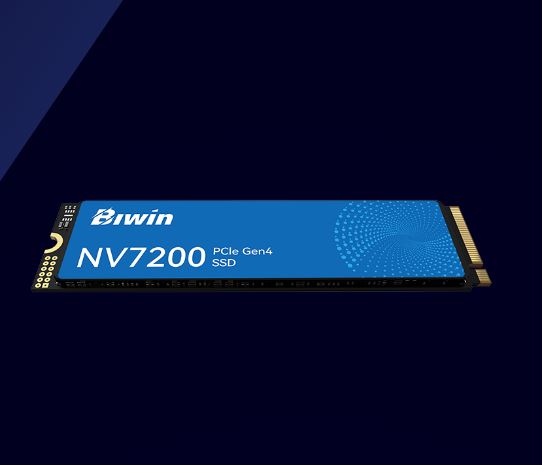
BIWIN NV7200 2TB PCIe 4.0 NVMe SSD
BIWIN NV7200 2TB PCIe 4.0 NVMe SSD
SKU:BIW-NV7200-2TB
Couldn't load pickup availability
- See our return policy
- 5 years Manufacturer Warranty
Product Information
| Brand | BIWIN |
|---|---|
| Category | Hard Disk Drives - SSD |
| SKU | BIW-NV7200-2TB |
| Availability | Out of Stock |

Overview
- The BIWIN NV7200 2TB is a high-performance NVMe SSD built on PCIe 4.0 technology. It delivers exceptional read and write speeds that significantly reduce application load times and file transfer bottlenecks in professional workstations and content creation environments.
Designed for professionals who demand speed and reliability, the NV7200 offers substantial performance improvements over SATA drives. The M.2 2280 form factor integrates seamlessly into modern motherboards, and the included 5-year warranty provides confidence in long-term data integrity.
Whether you're building a new workstation, upgrading an existing system, or expanding storage capacity, the BIWIN NV7200 delivers the performance needed for demanding applications, large file handling, and multi-tasking workflows.
Specifications
| Brand | BIWIN |
|---|---|
| Model | NV7200-2TB |
| Product Type | NVMe SSD |
| Interface | PCIe 4.0 |
| Form Factor | M.2 2280 |
| Capacity | 2TB |
| Sequential Read Speed | Up to 7200MB/s |
| Sequential Write Speed | Up to 6200MB/s |
| Warranty | 5 years |
Key Features
Ideal For
FAQs
Is the BIWIN NV7200 compatible with my motherboard?
The NV7200 uses a standard M.2 2280 form factor and PCIe 4.0 interface. It is compatible with any modern motherboard with an available M.2 NVMe slot. For optimal performance, ensure your motherboard supports PCIe 4.0.
What is the warranty coverage on the BIWIN NV7200?
The BIWIN NV7200 includes a 5-year manufacturer warranty covering defects in materials and workmanship.
Can I use the NV7200 as a secondary drive?
Yes, the NV7200 can be installed as a secondary or additional drive in any system with an available M.2 NVMe slot. It functions as both a boot drive and data storage drive.
How do the read/write speeds compare to SATA SSDs?
The NV7200's PCIe 4.0 speeds of 7200MB/s read and 6200MB/s write are significantly faster than SATA SSDs, which typically max out around 550MB/s. This results in noticeably faster boot times, application loading, and file transfers.
Is installation straightforward for a non-technical user?
Yes, installation is simple. Locate an available M.2 slot on your motherboard, insert the drive at a 30-degree angle, and secure it with the provided screw. Consult your motherboard manual for the exact slot location.
Does the NV7200 require any special drivers?
Most modern operating systems recognise NVMe drives automatically. Check your motherboard's support page or BIOS settings to ensure the M.2 slot is enabled, but additional drivers are typically not required.