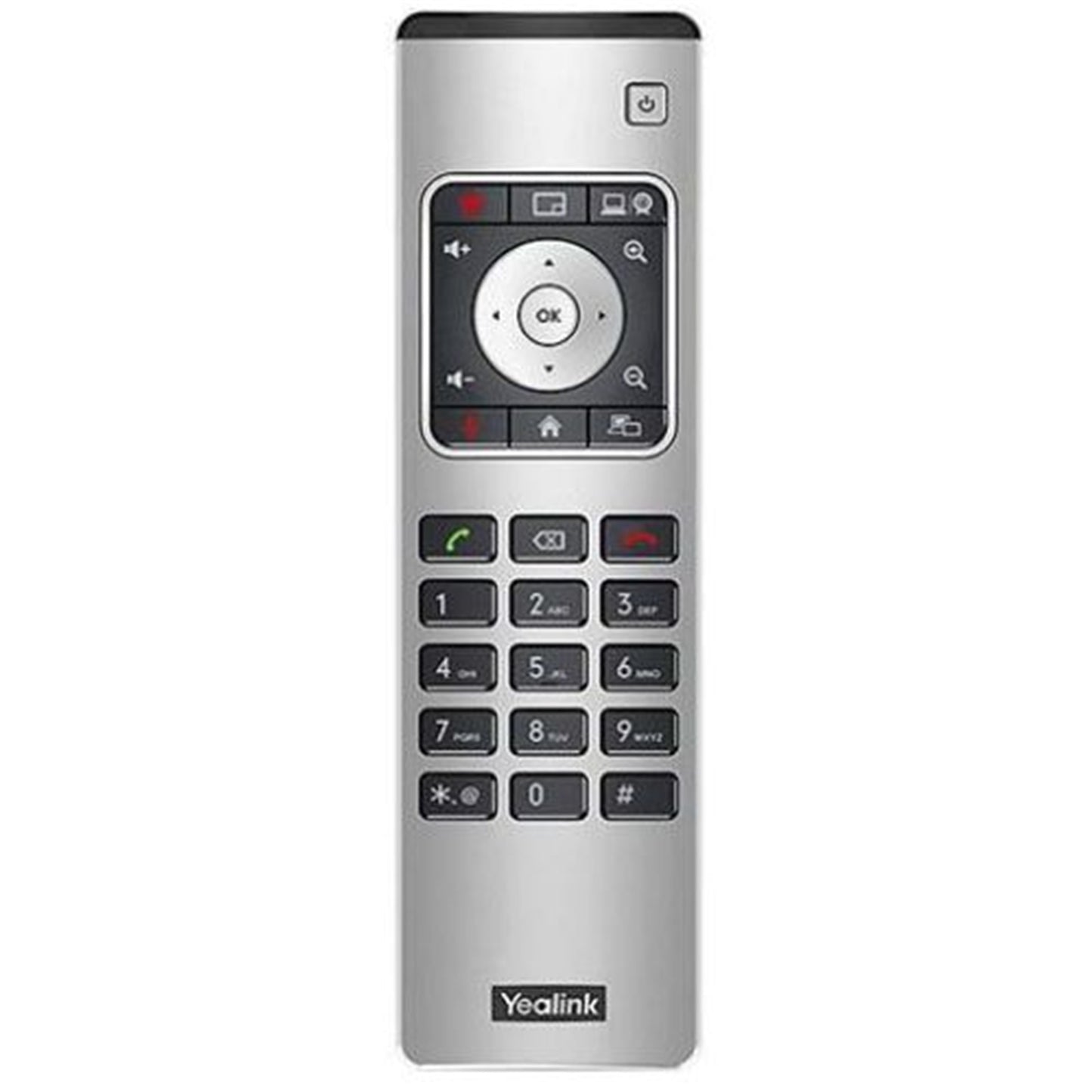
Yealink VCR11 Remote Control for Collaboration Bars
Yealink VCR11 Remote Control for Collaboration Bars
SKU:IPY-VCR11
The Yealink VCR11 is a remote control for A20, A30, and A40 collaboration bars. Control meetings, adjust cameras, manage participants, and access recording and presentation features from your seat.
Regular price
$147.29 AUD
Regular price
Sale price
$147.29 AUD
Taxes included.
Shipping calculated at checkout.
Quantity
Couldn't load pickup availability
Special offers
- See our return policy
- 12 months Manufacturer Warranty
Product Information
| Brand | Yealink |
|---|---|
| Category | Video Conferencing |
| SKU | IPY-VCR11 |
| Availability | In Stock |

Yealink VCR11 Remote Control for Collaboration Bars$147.29
$147.29
Overview
- The Yealink VCR11 remote control provides full command of Yealink A20, A30, and A40 collaboration bars from anywhere in the meeting room. It enables users to create or join meetings, control participants, and manage camera angles without approaching the device, improving meeting flexibility and user experience.
Designed for teams that prioritise ease of use, the VCR11 simplifies common meeting tasks such as adjusting camera views, starting recordings, sharing presentations, and capturing screenshots. It also supports local contact management and system configuration adjustments, making it a comprehensive control solution for modern meeting spaces.
This remote control is ideal for organisations deploying Yealink collaboration bars across multiple meeting rooms, enabling consistent, intuitive control across your video conferencing infrastructure.
Specifications
| brand | Yealink |
|---|---|
| model | VCR11 |
| product_type | Remote Control |
| compatible_devices | Yealink A20, A30, A40 collaboration bars |
| warranty | 12 months |
Key Features
Compatible with Yealink A20, A30, and A40 collaboration bars
Create, join, and manage conference calls remotely
Full camera control and adjustment
Add and edit local contacts from the remote
Access recording, presentation, and screenshot features
Modify system settings without touching the device
Manage participant invitations and meeting end functions
Ideal For
Meeting rooms equipped with Yealink collaboration bars
Teams managing frequent video conferences
Organisations needing seamless remote meeting control
Hybrid work environments with conference facilities
FAQs
Which Yealink collaboration bars does the VCR11 work with?
The VCR11 is compatible with Yealink A20, A30, and A40 all-in-one collaboration bars.
Does the VCR11 come with every Yealink collaboration bar?
The VCR11 is included with A20 and A30 models that do not include the CTP18 touch panel. Contact us to confirm what comes with your specific configuration.
What meeting functions can I control with the VCR11?
You can create or join meetings, invite and manage participants, end calls, adjust camera angles, start recordings, enable presentations, and take screenshots.
Can I manage contacts with the VCR11?
Yes, you can add and edit local contacts directly from the remote control.
What warranty does the VCR11 include?
The VCR11 comes with a 12-month warranty covering manufacturing defects.
Can I adjust system settings with the VCR11?
Yes, the remote allows you to modify collaboration bar system settings without physically accessing the device.