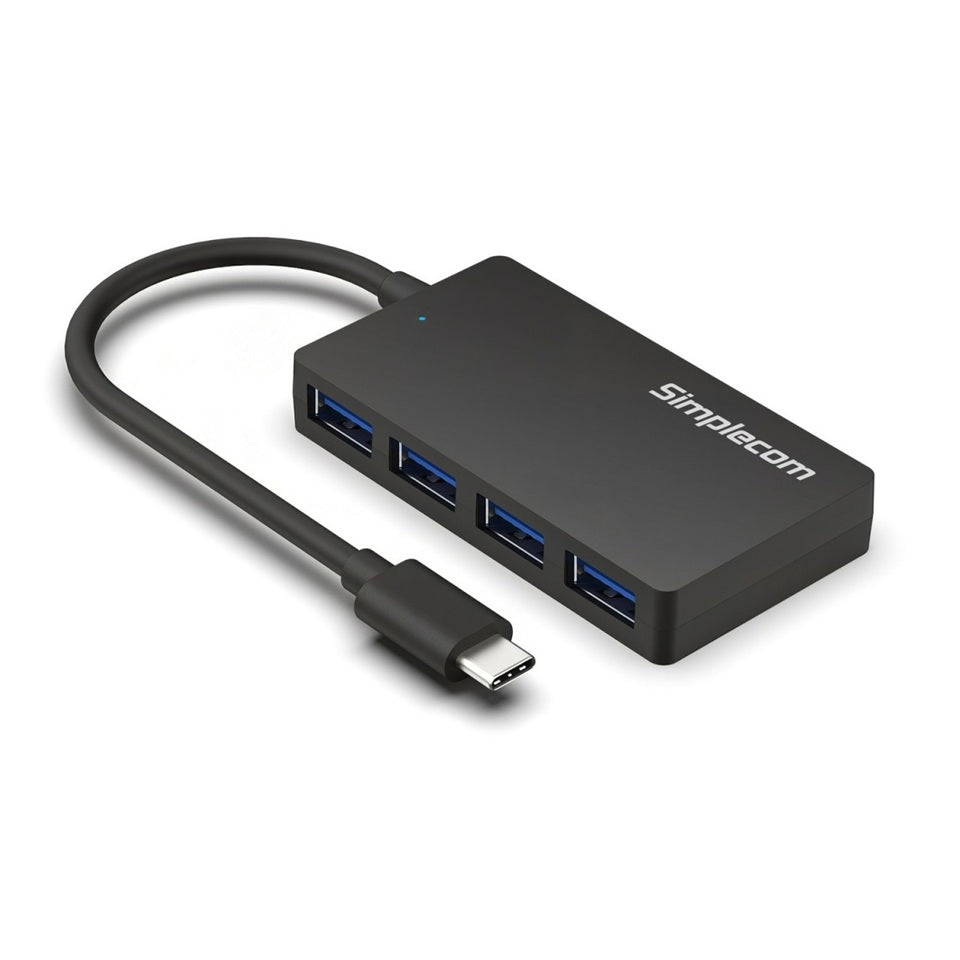
Simplecom CH350 USB-C to 4-Port USB-A Hub
Simplecom CH350 USB-C to 4-Port USB-A Hub
SKU:HXSI-CH350
Couldn't load pickup availability
- See our return policy
- 12 months Manufacturer Warranty
Product Information
| Brand | Simplecom |
|---|---|
| Category | USB, Bluetooth & IEEE |
| SKU | HXSI-CH350 |
| Availability | In Stock |

Overview
- The Simplecom CH350 solves the common problem of limited USB ports on modern laptops and desktops. By converting a single USB-C port into four USB-A ports, it instantly expands your connectivity options for keyboards, mice, storage drives, printers, and other USB devices.
Designed with portability in mind, the CH350's compact 35-gram design and 15cm cable make it ideal for mobile professionals, home offices, and travel. Its ultra-slim profile fits easily into laptop bags without adding bulk or weight to your setup.
The hub operates on USB 3.2 Gen 1 specification, delivering SuperSpeed data transfer rates up to 5Gbps while maintaining backward compatibility with older USB 2.0 and 1.1 peripherals. Plug-and-play operation means immediate usability—no driver installation or software configuration needed. Power comes directly from your computer's USB port, eliminating the need for an external power supply or cable clutter.
Specifications
| Brand | Simplecom |
|---|---|
| Model | CH350 |
| Product Type | USB-C to USB-A Hub |
| Host Interface | USB 3.2 Gen 1 Type-C (USB-C) |
| Output Ports | 4 × USB 3.2 Gen 1 Type-A (USB 3.0) |
| Data Transfer Rate | Up to 5Gbps |
| Maximum Output Power | 5V / 1A (5W) |
| Cable Length | 15cm |
| Dimensions (L×W×H) | 76 × 41 × 11mm |
| Weight | 35g |
| Housing Material | ABS plastic |
| Operating Temperature | 0°C to 40°C |
| Compatibility | Windows 7 and later, macOS 10.2 and later |
| Power Source | Bus-powered (USB connection) |
| Warranty | 12 months |
Key Features
Ideal For
FAQs
Do I need to install drivers for the Simplecom CH350?
No, the CH350 is plug-and-play. Simply connect it to your computer's USB-C port and begin using it immediately. No driver installation or software configuration is required.
Can I use the CH350 to charge devices?
The hub can charge only low-power devices with a maximum output of 5V/1A (5W). It is primarily designed for data transfer. It is not suitable as a standalone charger and should only be used with a computer's USB port.
Is the CH350 compatible with older USB devices?
Yes, the four USB-A ports are backward compatible with USB 2.0 and USB 1.1 devices, though they will operate at those devices' respective speeds rather than the hub's full 5Gbps capability.
Does the CH350 require an external power adapter?
No, the hub is bus-powered and draws power directly from your computer's USB connection. No external power supply or additional cables are needed.
What is the cable length on the CH350?
The hub features a fixed 15cm attached cable, providing flexible positioning on your desk while keeping the overall footprint compact.
How portable is the CH350?
At just 35 grams and 76×41×11mm in size, the CH350 is extremely portable. Its compact design makes it ideal for travel, mobile offices, and easy storage in laptop bags.
Is the CH350 compatible with both Windows and macOS?
Yes, the CH350 is compatible with Windows 7 and later, and macOS 10.2 and later.