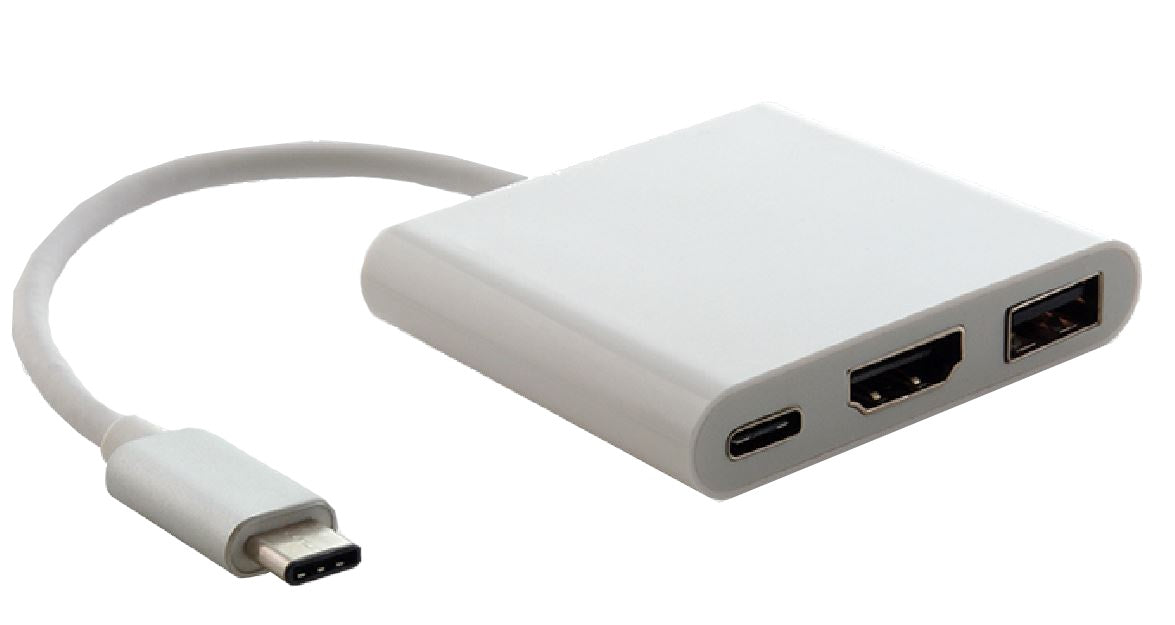
Astrotek USB-C Hub Adapter with HDMI and USB-A
Astrotek USB-C Hub Adapter with HDMI and USB-A
SKU:CBAT-CMHDMIUSBCF
Couldn't load pickup availability
- See our return policy
- 12 months Manufacturer Warranty
Product Information
| Brand | Astrotek |
|---|---|
| Category | Cables |
| SKU | CBAT-CMHDMIUSBCF |
| Availability | In Stock |

Overview
- The Astrotek USB-C Hub Adapter transforms a single USB Type-C port into a multi-port connectivity hub. It delivers simultaneous access to HDMI video output, standard USB-A devices, and additional USB-C connectivity—making it ideal for presentations, external storage, and peripheral management.
With support for 4K resolution at 30Hz, the adapter handles modern display requirements without degradation. The reversible USB-C connector eliminates fumbling, and Thunderbolt 3 compatibility ensures broad device support across Apple and Android ecosystems.
Designed for professionals who work with MacBooks, Chromebooks, and other USB-C-equipped devices, this adapter requires no driver installation and works immediately upon connection. It's a practical solution for expanding limited native port availability.
Specifications
| Brand | Astrotek |
|---|---|
| Model | AT-CMHDMIUSBCF |
| Product Type | USB-C Hub Adapter |
| USB Standard | USB 3.1 |
| Input Connector | USB Type-C (Male) |
| Output Connectors | HDMI, USB Type-A (Female), USB Type-C (Female) |
| HDMI Resolution | Up to 4K (4096 x 2160) at 30Hz |
| Connector Design | Reversible USB-C |
| Compatibility | USB Type-C devices, Thunderbolt 3 ports |
| Installation | Plug and play—no drivers required |
| Warranty | 12 months |
Key Features
Ideal For
FAQs
Is this adapter compatible with my MacBook?
Yes. The Astrotek adapter works with any MacBook featuring a USB Type-C or Thunderbolt 3 port, including MacBook Air, MacBook Pro, and newer MacBook models.
Can I connect a 4K monitor to this adapter?
Yes. The adapter supports 4K video output (4096 x 2160) at 30Hz via HDMI, suitable for most modern 4K displays.
Do I need to install drivers or software?
No. The adapter is plug and play. Simply connect it to your USB-C port and begin using the available ports immediately.
What devices can I connect to the USB-A port?
The USB-A port supports standard USB peripherals including external hard drives, keyboards, mice, printers, and other USB 3.0+ devices.
Is the USB-C connector reversible?
Yes. The USB-C connector is reversible, so it can be inserted in either orientation without damage.
Will this work with Thunderbolt 3 devices?
Yes. The adapter is fully compatible with USB Type-C and Thunderbolt 3 ports.
Can I use multiple adapters on the same device?
Yes. If your device has multiple USB-C ports, you can connect multiple adapters to expand connectivity further.