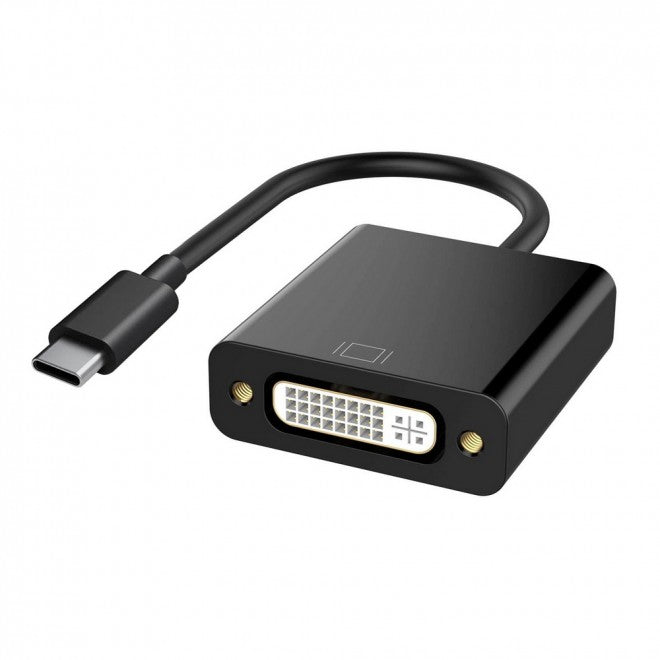
Simplecom DA103 USB-C to DVI Adapter Full HD 1080p
Simplecom DA103 USB-C to DVI Adapter Full HD 1080p
SKU:HXSI-DA103
The Simplecom DA103 is a USB-C to DVI adapter designed for connecting modern devices to DVI displays and projectors. Featuring Full HD 1080p support, plug-and-play setup, and lightweight portability, it delivers seamless video connectivity for business presentations and multimedia use.
Couldn't load pickup availability
- See our return policy
- 12 months Manufacturer Warranty
Product Information
| Brand | Simplecom |
|---|---|
| Category | USB, Bluetooth & IEEE |
| SKU | HXSI-DA103 |
| Availability | In Stock |

Overview
- The Simplecom DA103 is a compact USB-C to DVI adapter that enables direct video output from modern USB-C equipped devices to DVI-compatible displays and projectors. It delivers Full HD 1080p resolution at 60Hz, making it suitable for presentations, video conferencing, and multimedia applications.
Designed for convenience, the adapter requires no driver installation or software configuration. Simply connect your USB-C device and DVI display for immediate operation. The 15cm cable length provides flexibility in setup while remaining highly portable—ideal for business professionals who frequently move between meeting rooms or work remotely.
The adapter supports both mirror and extend display modes, allowing users to duplicate content or extend their workspace across multiple screens. Its lightweight design makes it easy to pack into laptop bags or carry cases for on-the-go use.
Specifications
| Input Connector | USB-C Male |
|---|---|
| Output Connector | DVI Female |
| Video Resolution | Up to 1920×1080@60Hz (Full HD) |
| Cable Length | 15cm |
| HDCP Support | No |
| Display Mode | Mirror or Extend |
| Compatibility | DisplayPort Alternate Mode (DP Alt Mode) devices |
| Warranty | 12 months |
Key Features
Ideal For
FAQs
Will this adapter work with my USB-C device?
The DA103 requires your USB-C port to support DisplayPort Alternate Mode (DP Alt Mode) for video output. Not all USB-C ports have this capability—some are limited to charging or data transfer only. Check your device specifications or contact the manufacturer before purchasing to confirm DP Alt Mode support.
What resolution does this adapter support?
The adapter supports video resolutions up to 1920×1080 (Full HD) at 60Hz refresh rate. The actual resolution and refresh rate delivered will also depend on your monitor's capabilities.
Do I need to install drivers or software?
No. The DA103 is plug and play and does not require any driver or software installation. Simply connect your USB-C device and DVI display to start using it.
Can I use this adapter for audio transmission?
This adapter is designed for video signal transmission only. It does not support audio output. You will need a separate audio connection if your display or application requires audio.
Is HDCP content supported?
No. The DA103 does not support HDCP (High-bandwidth Digital Content Protection), so it cannot display DRM-protected content.
What devices are compatible with this adapter?
The adapter is compatible with any device featuring a USB-C port with DisplayPort Alternate Mode support, including MacBook, iMac, Chromebook Pixel, Samsung Galaxy, Huawei Mate, and similar devices.
Can I extend my display across multiple monitors?
Yes. The DA103 supports both mirror mode (duplicate display) and extend mode (expand workspace across multiple screens), depending on your operating system and device settings.