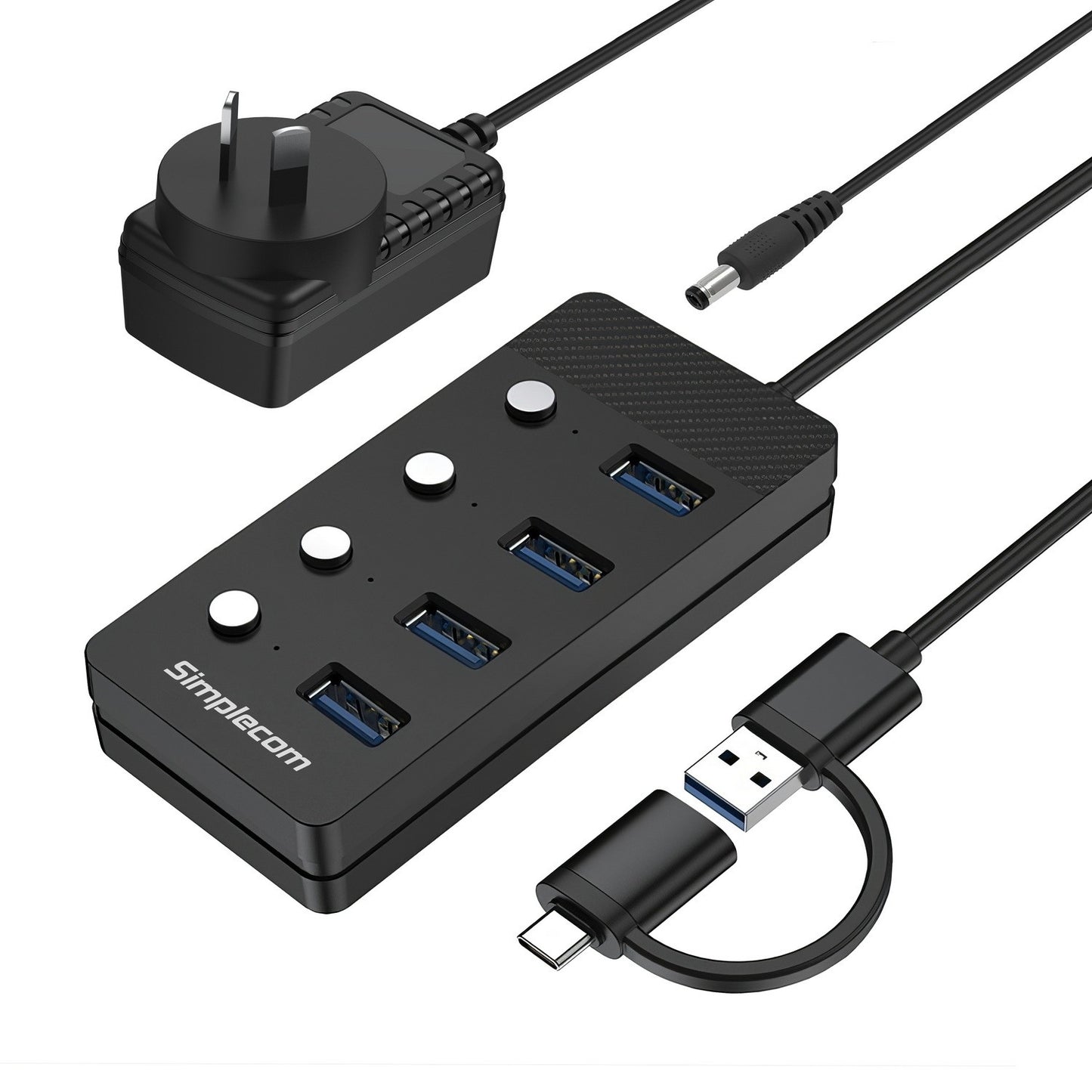
Simplecom CH345C 4-Port USB 3.0 Hub with Individual Switches
Simplecom CH345C 4-Port USB 3.0 Hub with Individual Switches
SKU:HXSI-CH345C
Couldn't load pickup availability
- See our return policy
- 12 months Manufacturer Warranty
Product Information
| Brand | Simplecom |
|---|---|
| Category | USB, Bluetooth & IEEE |
| SKU | HXSI-CH345C |
| Availability | In Stock |

Overview
- The Simplecom CH345C expands your USB connectivity with four SuperSpeed ports in a compact, easy-to-use design. Featuring both USB-A and USB-C connectors on a hybrid cable, it supports desktops, laptops, ultrabooks, and compatible with Windows, macOS, ChromeOS, and Linux systems.
Each port includes individual on/off switches and LED indicators, allowing you to control power to specific devices without unplugging. This is particularly useful when managing multiple peripherals or preserving power in battery-dependent environments. The included 5V/3A AC adapter ensures adequate power for demanding devices like portable hard drives and external storage.
With SuperSpeed USB 3.0 compliance (USB 3.2 Gen 1), the hub delivers data transfer rates up to 5Gbps—significantly faster than USB 2.0. Installation is straightforward plug-and-play with no additional driver installation needed, making it suitable for users of all technical levels.
Specifications
| Model | CH345C |
|---|---|
| Brand | Simplecom |
| USB Standard | USB 3.2 Gen 1 (USB 3.0) |
| Ports | 4x USB 3.0 |
| Host Interface | USB-A or USB-C |
| Data Transfer Speed | Up to 5Gbps |
| Power Input | DC 5V/3A |
| Cable Length | 60cm approx. |
| Material | ABS Plastic |
| Dimensions | 10.5cm (L) x 4.7cm (W) x 2cm (H) |
| Weight | 75g (hub only) |
| System Compatibility | Windows, macOS, ChromeOS, Linux |
| Features | Individual port switches, LED indicators per port, plug-and-play |
| Included Accessories | 5V/3A power adapter |
| Warranty | 12 months |
Key Features
Ideal For
FAQs
Does the CH345C require driver installation?
No. The Simplecom CH345C is plug-and-play and does not require any additional driver installation on Windows, macOS, ChromeOS, or Linux systems.
Can I use the hub with USB 2.0 devices?
Yes. The CH345C is backward compatible with USB 2.0 devices, though they will operate at USB 2.0 speeds. USB 3.0 devices will benefit from the full 5Gbps SuperSpeed transfer rate.
What is the purpose of the individual port switches?
The individual on/off switches allow you to disable specific USB ports without unplugging devices. This is useful for managing power consumption, controlling device access, or troubleshooting connectivity issues.
Is the power adapter required to use the hub?
The power adapter is included and recommended for high-power devices such as portable hard drives. For low-power peripherals like keyboards and mice, the hub can operate via USB bus power alone, though the adapter is recommended for best performance with multiple devices.
Which devices can I connect to the CH345C?
You can connect external hard drives, flash drives, card readers, keyboards, mice, printers, and other standard USB peripherals. The hub supports any device compatible with USB 3.0 or USB 2.0.
What is the data transfer speed of the CH345C?
The hub supports SuperSpeed USB 3.0 data transfer rates up to 5Gbps (USB 3.2 Gen 1), which is significantly faster than USB 2.0 (480Mbps). Actual speeds depend on your connected device and the host system.
Can I use both USB-A and USB-C connectors at the same time?
The hub comes with a 2-in-1 hybrid cable with both USB-A and USB-C connectors. You connect one or the other to your computer—you cannot use both simultaneously.