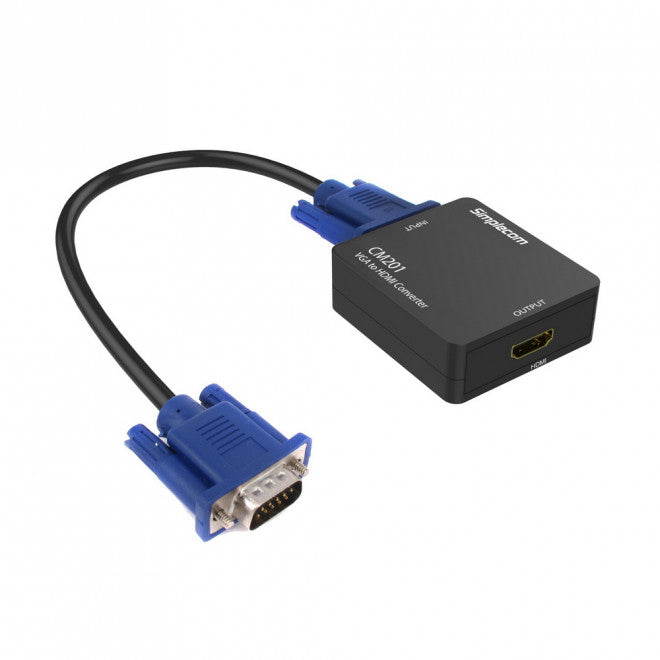
Simplecom CM201 VGA to HDMI Converter with Audio
Simplecom CM201 VGA to HDMI Converter with Audio
SKU:CBSI-CM201
Couldn't load pickup availability
- See our return policy
- 12 months Manufacturer Warranty
Product Information
| Brand | Simplecom |
|---|---|
| Category | Cables |
| SKU | CBSI-CM201 |
| Availability | In Stock |

Overview
- The Simplecom CM201 bridges the gap between legacy VGA equipment and modern HDMI displays. It converts analogue VGA signals to digital HDMI output with full HD 1080p resolution, making it ideal for organisations with older PCs, laptops, or presentation equipment that need to connect to contemporary displays.
Simple plug-and-play installation requires no drivers or software. The converter draws power from a standard USB port or wall adapter, eliminating the need for external power supplies. Audio is handled via a 3.5mm input, allowing sound from your source device to be transmitted alongside video.
The CM201 is commonly used in boardrooms, training facilities, and offices where legacy computers still serve important functions but need to connect to modern HDMI projectors and monitors. It supports multiple VGA resolutions and is compatible with HDMI 1.3 displays. Note that the converter is unidirectional—it only converts VGA to HDMI, not the reverse.
Specifications
| Input | VGA (15-pin female socket) |
|---|---|
| Output | HDMI (female socket) |
| Audio Input | 3.5mm stereo female socket |
| Power Input | Mini USB port |
| VGA Resolutions Supported | 640×480@60Hz, 800×600@60Hz, 1024×768@60Hz, 1280×720@60Hz, 1280×769@60Hz, 1280×800@60Hz, 1280×1024@60Hz, 1360×768@60Hz, 1600×1200@60Hz, 1920×1080@60Hz |
| HDMI Output Resolutions | 480p, 720p, 1080p@60Hz |
| HDMI Version | 1.3 |
| Conversion Direction | VGA to HDMI only (unidirectional) |
| Warranty | 12 months |
| Included Accessories | USB power cable, VGA male-to-male cable, 3.5mm stereo audio cable |
| Not Included | HDMI cable |
Key Features
Ideal For
FAQs
Does the CM201 work with all VGA sources?
Yes, the CM201 accepts any standard VGA output from PCs, laptops, and other VGA-equipped devices. For laptop users, you may need to use Fn+Screen Switch keys to activate the external display. Refer to your laptop's user manual for the correct key combination.
Can I convert HDMI back to VGA with this adapter?
No, the CM201 is unidirectional and only converts VGA to HDMI. It cannot be used in reverse to convert HDMI signals to VGA.
What resolution does the CM201 support?
The converter supports VGA input resolutions up to 1920×1080@60Hz and outputs HDMI at 480p, 720p, or 1080p@60Hz. It is ideal for full HD displays.
Does it require an external power supply?
No, the CM201 is powered via USB. You can connect it to a USB wall adapter, a PC USB port, or a TV USB port. The USB power cable is included.
Can I transmit audio through the converter?
Yes, the converter includes a 3.5mm audio input socket. You can connect an audio source (such as your PC's audio output) to transmit sound alongside the video signal through HDMI.
What cables are included with the CM201?
The package includes a USB power cable, a VGA male-to-male cable, and a 3.5mm stereo audio cable. An HDMI cable is not included and must be purchased separately.
Is driver installation required?
No, the CM201 is a plug-and-play device and requires no driver installation or software configuration.