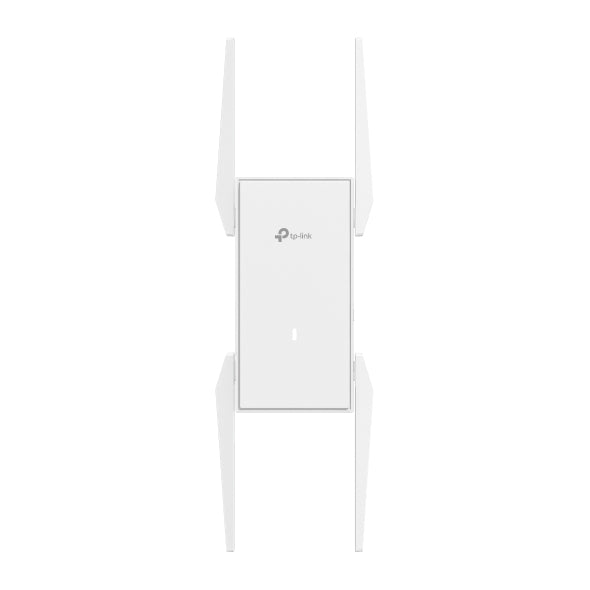
TP-Link EAP673 AX5400 Wi-Fi 6 Mesh Extender
TP-Link EAP673 AX5400 Wi-Fi 6 Mesh Extender
SKU:NWTL-EAP673-EXTENDER
The TP-Link EAP673 is an AX5400 Wi-Fi 6 mesh extender designed to eliminate dead zones and extend network coverage. Featuring four high-gain external antennas, up to 5.4 Gbps wireless speeds, and Omada SDN integration, it delivers seamless connectivity for businesses and large-scale deployments.
Couldn't load pickup availability
- See our return policy
- 5 years Manufacturer Warranty
Product Information
| Brand | TP-LINK |
|---|---|
| Category | Network - SMB |
| SKU | NWTL-EAP673-EXTENDER |
| Availability | In Stock |

Overview
- The TP-Link EAP673 is a professional-grade Wi-Fi 6 mesh extender built for businesses that need reliable coverage across large spaces. With AX5400 dual-band performance delivering up to 5.4 Gbps speeds and four high-gain external antennas, it effectively reaches areas traditionally plagued by weak signals.
As part of the TP-Link Omada ecosystem, the EAP673 integrates seamlessly into centralized SDN networks, allowing IT managers to monitor, manage, and update multiple access points from a single cloud-based dashboard. This is particularly valuable for multi-site deployments where consistency and control are critical.
The extender supports both traditional mesh networking with automatic roaming and standard AP mode operation. Simply plug in power and an Ethernet cable, adopt it through the Omada controller or mobile app, and it's ready to serve your network. The 5-year warranty provides long-term peace of mind for business-critical infrastructure.
Specifications
| Model | EAP673 |
|---|---|
| Product Type | Wi-Fi 6 Mesh Extender |
| Wi-Fi Standard | IEEE 802.11ax (Wi-Fi 6) |
| Frequency Bands | Dual-Band (2.4 GHz and 5 GHz) |
| Maximum Wireless Speed | 5.4 Gbps |
| External Antennas | Four high-gain |
| Operating Modes | Extender Mode, AP Mode |
| Network Management | Omada SDN, Web Interface, Mobile App |
| Mesh Capability | Omada Mesh with Roaming Support |
| Power Supply | Standard AC |
| Warranty Period | 5 years |
Key Features
Ideal For
FAQs
What is the difference between Extender Mode and AP Mode?
In Extender Mode, the EAP673 wirelessly connects to your existing router to expand coverage. In AP Mode, you connect it via Ethernet cable to create a new access point on your wired network. AP Mode is typically faster and more reliable for wired backhaul scenarios.
Can I manage multiple EAP673 units from one dashboard?
Yes. When integrated into the TP-Link Omada SDN controller, you can manage multiple EAP673 units (and other Omada devices) centrally via cloud-based management for monitoring, configuration, and updates across your entire network.
Is the EAP673 compatible with my existing Wi-Fi router?
The EAP673 works with most standard Wi-Fi routers. However, for full Mesh and Roaming features, it performs best within an Omada network. It can operate independently in standard Extender or AP mode with any compatible router.
How many devices can the EAP673 support?
While the EAP673 can support many simultaneous connections, actual capacity depends on device types, usage patterns, and network conditions. For large-scale deployments, consult TP-Link or your network administrator for capacity planning.
What is the warranty coverage?
The TP-Link EAP673 includes a standard 5-year manufacturer's warranty covering hardware defects. Terms and conditions apply; check with Hyetech Australia for specific regional warranty details.
Does the EAP673 support PoE (Power over Ethernet)?
The EAP673 operates with a standard AC power supply. Check the technical specifications or contact Hyetech Australia if PoE support is required for your deployment.