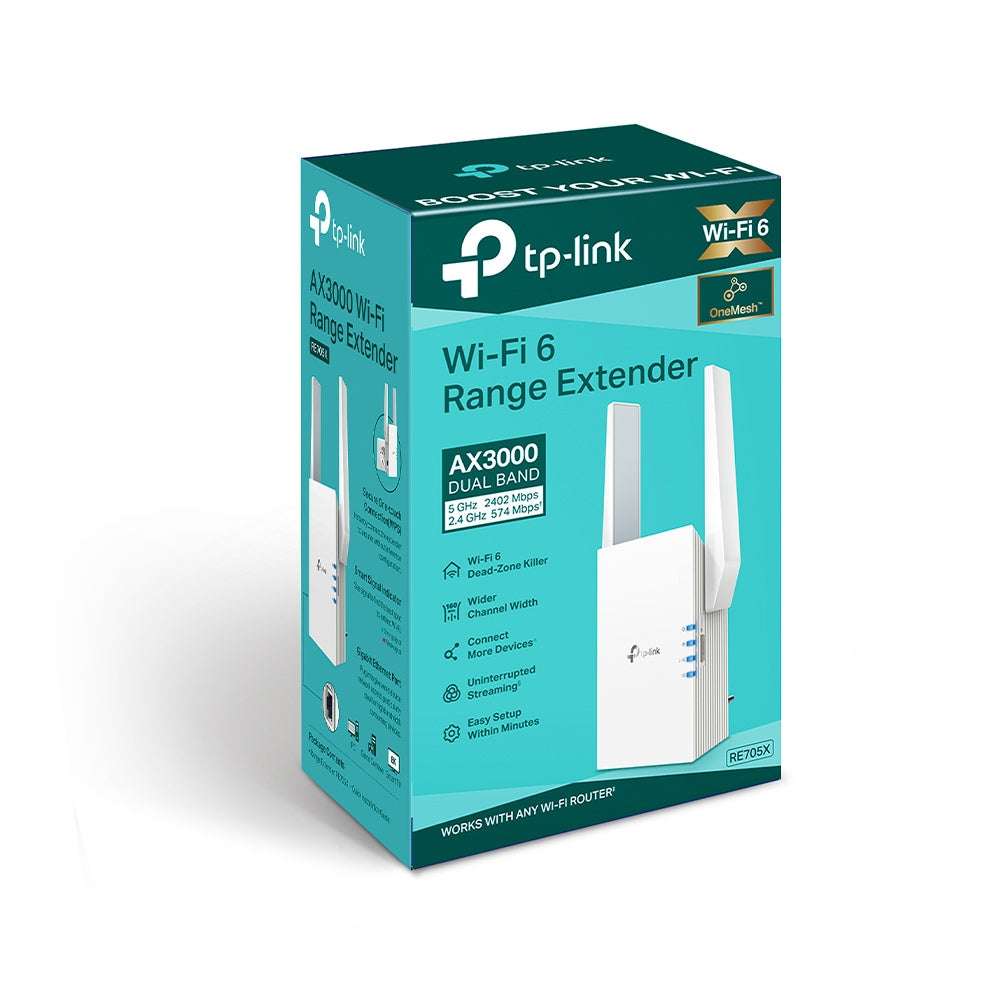
TP-Link RE705X AX3000 WiFi 6 Range Extender
TP-Link RE705X AX3000 WiFi 6 Range Extender
SKU:NWTL-RE705X
Couldn't load pickup availability
- See our return policy
- 36 months Manufacturer Warranty
Product Information
| Brand | TP-LINK |
|---|---|
| Category | Network - Consumer |
| SKU | NWTL-RE705X |
| Availability | In Stock |

Overview
- The TP-Link RE705X is a modern WiFi 6 range extender that eliminates dead zones throughout your home or small office. Using the latest 802.11ax standard, it delivers combined speeds up to 3Gbps across dual bands, ensuring fast and stable connectivity for today's bandwidth-hungry devices.
OneMesh compatibility allows seamless roaming between your existing TP-Link router and the extender, eliminating the frustration of manual network switching. The built-in Gigabit Ethernet port doubles as both a wired connection option and an Access Point mode feature, letting you extend coverage where traditional WiFi cannot reach.
With external antennas for improved reception and the intuitive Tether mobile app, setup takes minutes rather than hours. The RE705X supports the latest WPA3 security standard alongside earlier protocols, protecting your network from modern threats.
Specifications
| Model | RE705X |
|---|---|
| WiFi Standard | IEEE 802.11a/n/ac/ax (5GHz), IEEE 802.11b/g/n/ax (2.4GHz) |
| WiFi Generation | WiFi 6 (802.11ax) |
| Frequency Bands | 2.4GHz and 5GHz |
| Max Speed (2.4GHz) | 574 Mbps |
| Max Speed (5GHz) | 2402 Mbps |
| Total Combined Speed | Up to 3Gbps |
| Antennas | 2 External Antennas |
| Ethernet Ports | 1 Gigabit Ethernet Port |
| Wireless Modes | Range Extender / Access Point |
| Wireless Security | WEP, WPA, WPA2, WPA3 |
| Buttons | WPS Button, Reset Button |
| Power Consumption | 12.6W |
| Dimensions (W x D x H) | 97 x 46 x 158 mm |
| Certifications | CE, RoHS |
| Warranty | 36 months |
| Package Contents | WiFi Range Extender RE705X, Quick Installation Guide |
| System Requirements | Windows 98SE or later, macOS, Linux, or Unix with modern web browser |
Key Features
Ideal For
FAQs
Is the RE705X compatible with my existing router?
The RE705X works as a range extender with most WiFi routers supporting standard protocols (802.11a/b/g/n/ac). For seamless OneMesh integration and optimal performance, pairing with a TP-Link router is recommended, though it functions with other brands in standard extender mode.
How do I set up the TP-Link RE705X?
Setup is simple: plug in the extender, press the WPS button on your router within 2 minutes, then press the WPS button on the RE705X. Alternatively, use the TP-Link Tether app for guided setup on iOS or Android. Most users complete installation in under 5 minutes.
Can I use the Gigabit Ethernet port to connect wired devices?
Yes. The Gigabit port provides fast wired connectivity ideal for devices like smart TVs, gaming consoles, and desktop computers. You can also enable Access Point mode to create a new WiFi network from the wired connection.
What is OneMesh and do I need it?
OneMesh is TP-Link's seamless roaming technology that automatically switches your device between your router and extender without dropping connection. It works best with TP-Link routers but is not required; the RE705X functions as a standard range extender with all brands.
Does the RE705X support WiFi 6?
Yes, the RE705X is a full WiFi 6 (802.11ax) extender supporting the latest standard on both 2.4GHz and 5GHz bands. This delivers faster speeds and better performance with modern WiFi 6 devices compared to older WiFi 5 extenders.
What is the warranty on the RE705X?
The TP-Link RE705X includes a 3-year warranty covering manufacturing defects and hardware failures, providing confidence in long-term reliability.
How far will the RE705X extend my WiFi range?
WiFi range depends on your home layout, building materials, and interference. The RE705X with dual external antennas typically extends coverage by 1-2 rooms or 30-50 metres in open space from your router. Positioning it centrally between weak zones optimises coverage.