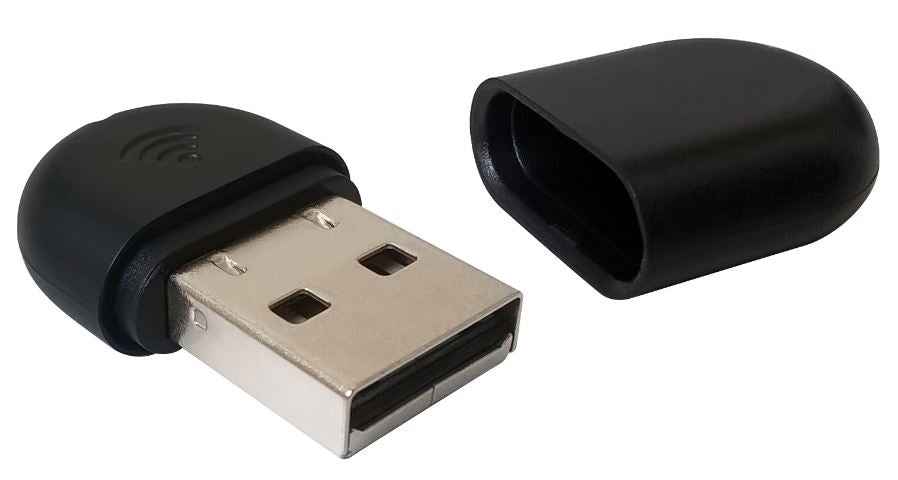
Yealink WF40 Wi-Fi USB Dongle for IP Phones
Yealink WF40 Wi-Fi USB Dongle for IP Phones
SKU:IPY-WF40
Couldn't load pickup availability
- See our return policy
- 12 months Manufacturer Warranty
Product Information
| Brand | Yealink |
|---|---|
| Category | VOIP Phones |
| SKU | IPY-WF40 |
| Availability | In Stock |

Overview
- The Yealink WF40 Wi-Fi USB dongle extends wireless connectivity to compatible Yealink IP deskphones, eliminating the need for desk-side ethernet cabling. This compact plug-and-play device connects directly to supported Yealink SIP phones, enabling seamless integration with your office Wi-Fi network.
Designed for businesses seeking cost-effective wireless phone solutions, the WF40 combines ease of installation with reliable performance. Its low power consumption and high transmission rate ensure consistent call quality and user experience across your office environment.
The dongle supports a range of Yealink deskphone models, making it suitable for new deployments or upgrades to existing VoIP infrastructure. Simply insert the WF40 and connect to your wireless network—no complex configuration required.
Specifications
| Brand | Yealink |
|---|---|
| Model | WF40 |
| Product Type | Wi-Fi USB Dongle |
| Wireless Standard | 2.4 GHz |
| Connection Type | USB Plug-and-Play |
| Form Factor | Small, compact |
| Power Consumption | Low |
| Compatible Phone Models | SIP-T27G, T29G, T41S, T42S, T46G, T46S, T48G, T48S, T52S, T53, T54S |
| Minimum Firmware Requirements | T48G (v35.80.0.95 or higher); T29G/T46G/T46S/T48S (v81 or higher) |
| Warranty | 12 months |
Key Features
Ideal For
FAQs
Which Yealink IP phones are compatible with the WF40 dongle?
The WF40 is compatible with Yealink SIP-T27G, T29G, T41S, T42S, T46G, T46S, T48G, T48S, T52S, T53, and T54S models. Check your phone's firmware version to ensure compatibility, as some models require specific minimum firmware versions.
Is the WF40 a plug-and-play device?
Yes, the WF40 is a plug-and-play USB dongle. Simply connect it to your compatible Yealink phone and follow your phone's wireless network setup to connect to your office Wi-Fi.
What is the wireless frequency range of the WF40?
The WF40 operates on the 2.4 GHz wireless frequency, which is the standard Wi-Fi band used in most office environments.
Does the WF40 require external power?
No, the WF40 is powered directly from the USB port on your Yealink phone, with low power consumption designed to minimise impact on phone battery or performance.
What is the warranty period for the WF40?
The Yealink WF40 includes a 12-month manufacturer warranty covering defects in materials and workmanship.
Can I use the WF40 with older Yealink phone models?
The WF40 is designed for specific Yealink SIP models. Check the compatibility list with your phone model and ensure your device is running the minimum required firmware version for full compatibility.