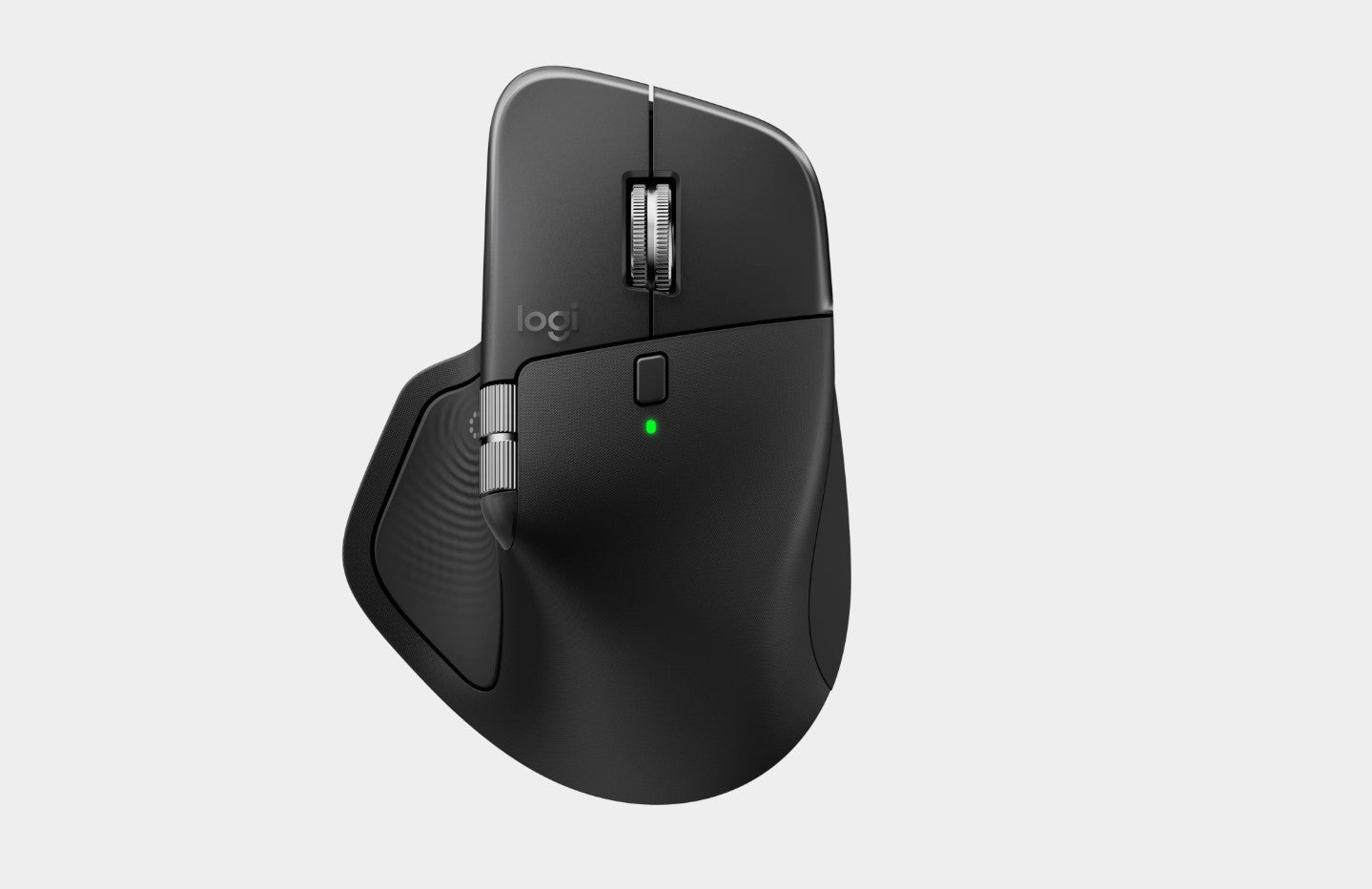
Logitech MX Master 4 Wireless Mouse - Graphite
Logitech MX Master 4 Wireless Mouse - Graphite
SKU:MILT-MXMASTER4-GRAPH
The Logitech MX Master 4 is a premium wireless mouse designed for professionals seeking precision and productivity. Featuring customisable haptic feedback, Actions Ring shortcuts, and MagSpeed scrolling, it delivers enhanced control across multiple applications and operating systems.
Couldn't load pickup availability
- See our return policy
- 12 months Manufacturer Warranty
Product Information
| Brand | Logitech |
|---|---|
| Category | Mouse |
| SKU | MILT-MXMASTER4-GRAPH |
| Availability | In Stock |

Overview
- The Logitech MX Master 4 is a high-performance wireless mouse engineered for professionals who demand precision, customisation, and seamless cross-platform compatibility. Its standout feature is the Actions Ring—a customisable shortcut system that lets you access frequently used tools and filters directly from your cursor, reducing repetitive menu navigation and saving significant time throughout your workday.
The mouse combines precision tracking with intelligent ergonomics. The MagSpeed scroll wheel delivers ultra-fast scrolling with smart shift technology, whilst the 8K DPI Darkfield sensor provides accurate tracking on virtually any surface, including glass desks. The haptic feedback system adds tactile confirmation to Actions Ring selections, Smart Actions, gestures, and key plugin integrations with Adobe Creative Suite and Zoom, enhancing usability without intrusive sounds.
Connectivity is flexible and reliable. Choose between Bluetooth Low Energy 5.1 for wireless freedom (10-metre range) or the Logi Bolt USB receiver for wired stability. The 70-day rechargeable battery ensures extended use between charges, and the eight programmable buttons provide endless customisation options via Logi Options+. With 12-month warranty and broad OS support (Windows, macOS, Linux, ChromeOS, iOS, and Android), the MX Master 4 adapts to your existing workflow rather than demanding you adapt to it.
Specifications
| Brand | Logitech |
|---|---|
| Model | MX Master 4 |
| Product Type | Wireless Mouse |
| Colour | Graphite |
| Warranty | 12 months |
| Sensor Technology | Darkfield high precision |
| DPI Range | 200–8000 DPI (adjustable in 50 DPI increments) |
| Number of Buttons | 8 (including thumb wheel and gesture button) |
| Scroll Wheel | MagSpeed with smart shift and horizontal scroll |
| Horizontal Scroll | Yes (thumb wheel) |
| Battery Type | Rechargeable lithium-ion (650 mAh) |
| Battery Life | 70 days |
| Charging | USB-C and USB-A compatible |
| Connectivity | Wireless |
| Wireless Technology | Bluetooth Low Energy 5.1 |
| Wireless Range | 10 metres (33 feet) |
| Additional Receiver Option | Logi Bolt USB receiver |
| Customisation | Logi Options+ app (Windows, macOS) and Tune (basic support) |
| Haptic Feedback Support | Actions Ring, Smart Actions, gestures, Adobe Photoshop, Adobe Lightroom Desktop, Zoom, Adobe Premiere Pro (October 2024+) |
| OS Compatibility | Windows 10/11+, macOS 13+, Linux, ChromeOS, iPadOS 15+, Android 12+ |
| System Requirements | Bluetooth Low Energy capable device or USB-C/USB-A port |
Key Features
Ideal For
FAQs
Does the MX Master 4 work with Mac and Windows?
Yes. The MX Master 4 supports Windows 10 and later, macOS 13 and later, Linux, ChromeOS, iPadOS 15 and later, and Android 12 and later. You can use either Bluetooth Low Energy or a Logi Bolt USB receiver for connection.
What is the Actions Ring and how does it save time?
The Actions Ring is a customisable shortcut menu accessed from your cursor. It lets you quickly access frequently used tools, filters, and commands without navigating through application menus. Users report saving up to 33% of their time on repetitive tasks.
How long does the battery last?
The MX Master 4 offers 70 days of battery life on a single charge. The rechargeable 650 mAh battery charges via USB-C or USB-A, so you can top up using standard cables from your desk setup.
Can I use the MX Master 4 on a glass desk?
Yes. The Darkfield high-precision sensor tracks accurately on virtually any surface, including glass, glossy, and reflective materials, ensuring consistent performance regardless of your desk type.
Is haptic feedback supported on all applications?
Haptic feedback is enabled for Actions Ring, Smart Actions, gestures, and specific integrations: Adobe Photoshop, Adobe Lightroom Desktop, Adobe Premiere Pro, and Zoom. Basic mouse functions work without haptic feedback on other applications.
What is the difference between Bluetooth and Logi Bolt connectivity?
Bluetooth Low Energy 5.1 offers wireless freedom with a 10-metre range and works with any Bluetooth-capable device. The Logi Bolt USB receiver (sold separately) provides a direct wired connection for added stability and is compatible with USB-A and USB-C ports.
Can I customise the mouse buttons?
Yes. The MX Master 4 includes 8 programmable buttons. Use the Logi Options+ app (Windows, macOS) to assign custom actions and gestures. Basic customisation is also available via the Tune app.
Does the mouse come with a receiver?
The MX Master 4 uses Bluetooth Low Energy as the primary connection method and does not require a USB receiver. However, you can optionally purchase the Logi Bolt USB receiver separately for wired connectivity.