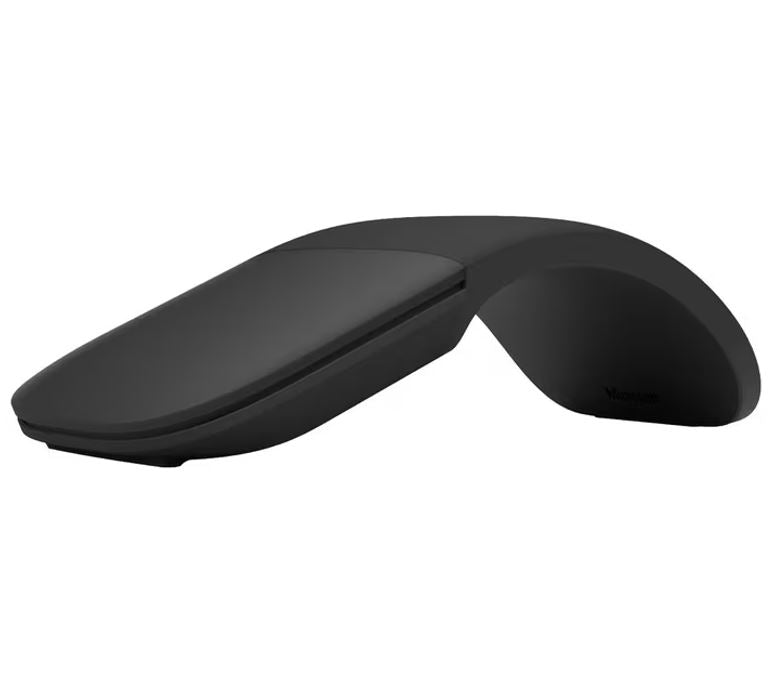
Microsoft Surface Arc Wireless Mouse – Black
Microsoft Surface Arc Wireless Mouse – Black
SKU:NAMS-CZV-00101
The Microsoft Surface Arc Mouse is a wireless Bluetooth mouse designed for Surface devices and laptops. Featuring an ergonomic curved design that snaps flat for portability, ambidextrous operation, and multi-directional scrolling, it delivers precision control and comfort for mobile professionals.
Couldn't load pickup availability
- See our return policy
- 12 months Manufacturer Warranty
Product Information
| Brand | Microsoft |
|---|---|
| Category | Notebook Accessories |
| SKU | NAMS-CZV-00101 |
| Availability | In Stock |

Overview
- The Microsoft Surface Arc Mouse combines ergonomic design with Bluetooth wireless convenience, making it an ideal companion for Surface devices and modern laptops. Its distinctive curved profile fits naturally in your hand during extended use, whilst the innovative snap-flat mechanism transforms it into a compact form factor suitable for travel and commuting.
Designed for both left and right-handed users, the Surface Arc Mouse delivers precision tracking and responsive click performance. The multi-directional scroll plane enables efficient navigation in both vertical and horizontal directions, improving productivity for document handling and spreadsheet work.
Connecting via Bluetooth, the mouse requires no USB receiver or driver installation on most modern systems, providing immediate wireless productivity. The slim, lightweight design ensures minimal bag space impact whilst maintaining durability and reliability across daily business use.
Specifications
| Brand | Microsoft |
|---|---|
| Model | Surface Arc Mouse |
| Product Type | Wireless Mouse |
| Connectivity | Bluetooth |
| Design | Ambidextrous, curved with snap-flat mechanism |
| Scroll Direction | Vertical and horizontal |
| Colour | Black |
| Warranty | 12 months |
| Manufacturer SKU | CZV-00101 |
Key Features
Ideal For
FAQs
Is the Surface Arc Mouse compatible with non-Microsoft devices?
Yes, the Surface Arc Mouse connects via Bluetooth and is compatible with any device that supports Bluetooth wireless input, including PCs, laptops, tablets, and Surface devices running Windows or macOS.
Can I use the Surface Arc Mouse with either hand?
Yes, the mouse has an ambidextrous design and can be comfortably used by both left and right-handed users.
How does the snap-flat mechanism work?
The curved design snaps flat into a compact form factor for easy transport and storage in bags, pockets, or laptop cases without compromising durability.
Does the mouse require batteries or charging?
The product data provided does not specify battery requirements or charging details. Please contact Hyetech Australia for complete power specifications.
What warranty is included?
The Microsoft Surface Arc Mouse includes a 12-month manufacturer warranty covering defects in materials and workmanship.
How does multi-directional scrolling work?
The mouse features a large scroll plane that supports both vertical scrolling (up and down) and horizontal scrolling (left and right) for efficient navigation through documents and spreadsheets.
Is pairing with Bluetooth straightforward?
Yes, Bluetooth pairing is typically seamless on modern devices. The mouse should automatically appear in your device's Bluetooth settings for quick connection without requiring additional drivers.