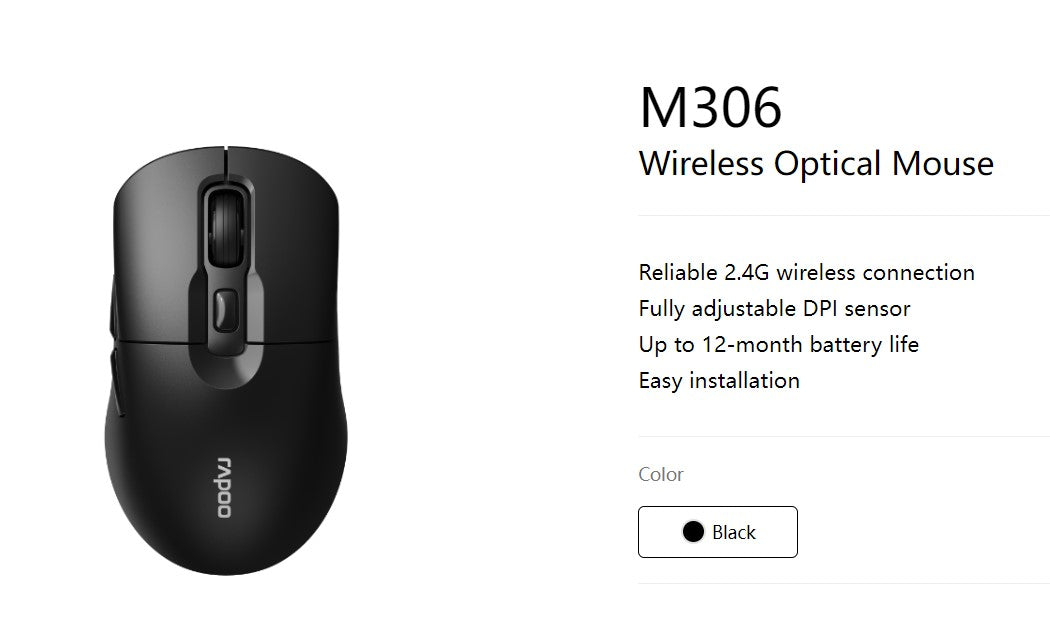
Rapoo M306 2.4GHz Wireless Optical Mouse
Rapoo M306 2.4GHz Wireless Optical Mouse
SKU:MIRP-M306
Couldn't load pickup availability
- See our return policy
- 12 months Manufacturer Warranty
Product Information
| Brand | Rapoo |
|---|---|
| Category | Mouse |
| SKU | MIRP-M306 |
| Availability | In Stock |

Overview
- The Rapoo M306 is a dependable wireless optical mouse built for business users who value simplicity and longevity. Its 2.4GHz connection provides stable, interference-free performance across most office environments, whilst the fully adjustable DPI sensor (800–3200) adapts to individual preferences and task requirements.
With up to 12 months of battery life, the M306 minimises downtime and reduces the cost of frequent battery replacements—a significant advantage for organisations managing multiple devices. The addition of side forward and back buttons enhances navigation efficiency, particularly for web-based work and document management.
Installation is straightforward: pair the mouse with any compatible computer and begin working immediately. The combination of wireless convenience, long battery performance, and practical navigation features makes the M306 a solid choice for offices, remote workers, and IT teams seeking reliable, low-maintenance peripherals.
Specifications
| Brand | Rapoo |
|---|---|
| Model | M306 |
| Product Type | Wireless Optical Mouse |
| Connection Type | 2.4GHz Wireless |
| Sensor Type | Optical |
| DPI Settings | 800, 1200, 1600, 3200 |
| Maximum DPI | 3200 |
| Side Buttons | Forward and Back navigation buttons |
| Battery Life | Up to 12 months |
| Installation | Easy wireless pairing, no drivers required |
| Warranty | 12 months |
Key Features
Ideal For
FAQs
How long does the battery last in the Rapoo M306?
The M306 delivers up to 12 months of battery life, significantly reducing the frequency of battery replacements and minimising operational costs.
Is the Rapoo M306 compatible with Mac and Windows?
Yes, the M306 works with any device that supports standard 2.4GHz wireless mice, including Windows PCs, Macs, and Linux systems.
Can I adjust the DPI on the Rapoo M306?
Yes, the M306 features four adjustable DPI levels: 800, 1200, 1600, and 3200. You can switch between settings using the DPI button on the mouse.
What are the forward and back buttons used for?
The side navigation buttons enable quick forward and back actions in web browsers, file explorers, and compatible applications, improving workflow efficiency.
Do I need to install drivers for the Rapoo M306?
No, the M306 is plug-and-play. Simply insert batteries, turn on the mouse, and pair it with your computer's 2.4GHz receiver for immediate use.
What is the wireless range of the M306?
The M306 uses a reliable 2.4GHz wireless connection typical of office-grade mice, with standard operating range suitable for desktop and laptop use.
Is the Rapoo M306 suitable for gaming?
The M306 is designed for office and productivity use. It features adjustable DPI but is optimised for business applications rather than competitive gaming.