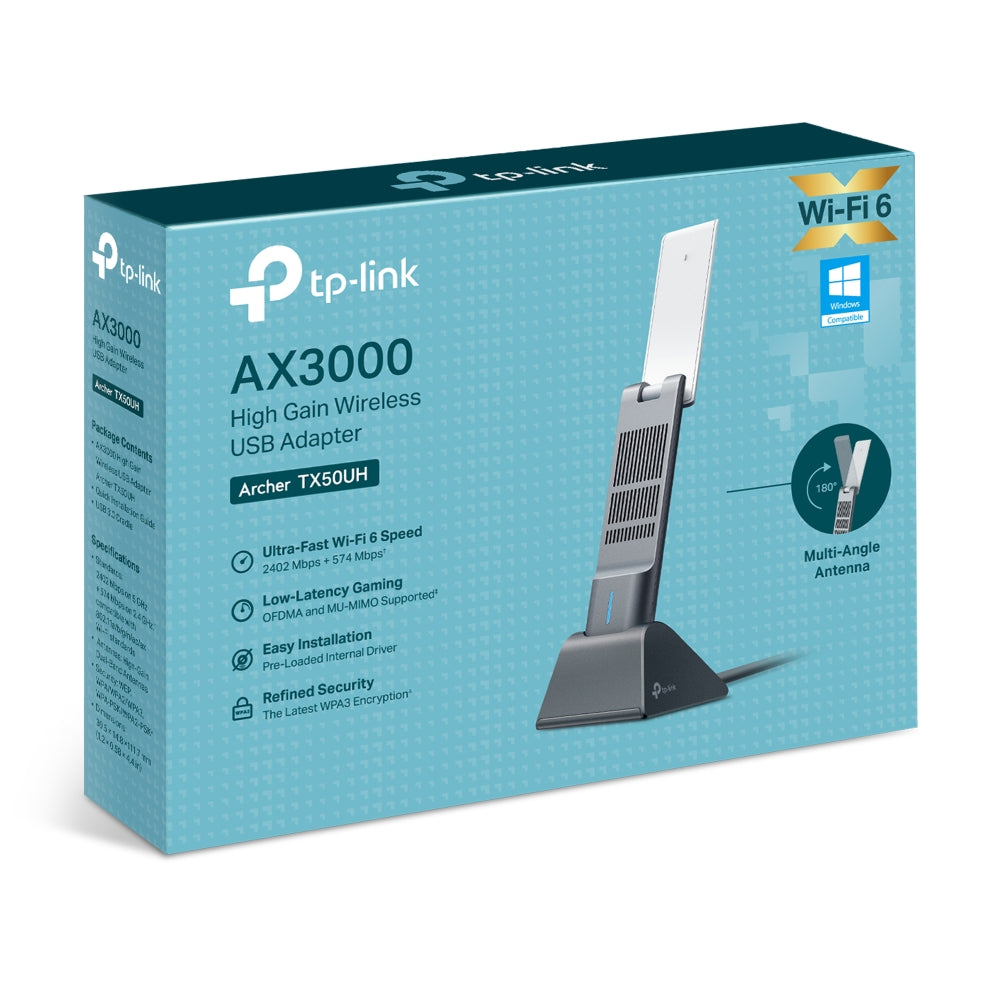
TP-Link Archer TX50UH AX3000 Wireless USB Adapter
TP-Link Archer TX50UH AX3000 Wireless USB Adapter
SKU:CBTL-TX50UH
Couldn't load pickup availability
- See our return policy
- 3 years Manufacturer Warranty
Product Information
| Brand | TP-LINK |
|---|---|
| Category | Network - Consumer |
| SKU | CBTL-TX50UH |
| Availability | Out of Stock |

Overview
- The TP-Link Archer TX50UH is an AX3000 wireless USB adapter that brings WiFi 6 technology to desktop and laptop computers. Supporting dual-band operation with speeds up to 2402 Mbps on the 5 GHz band, it delivers significant performance improvements over older wireless standards.
Equipped with high-gain antennas and Beamforming technology, the adapter provides broader coverage throughout your home or office. Advanced features including OFDMA and MU-MIMO ensure efficient bandwidth management across multiple connected devices, reducing latency and improving overall network performance.
Security is a key priority with WPA3 encryption protecting your wireless connection. The SuperSpeed USB 3.0 interface ensures the adapter itself won't become a bottleneck for data transfer. With a 3-year warranty included, it represents a reliable upgrade path for computers requiring modern wireless connectivity.
Specifications
| Brand | TP-Link |
|---|---|
| Model | Archer TX50UH |
| Product Type | Wireless USB Adapter |
| Wireless Standard | IEEE 802.11ax (WiFi 6) |
| Frequency Bands | 2.4 GHz, 5 GHz |
| Maximum Speed 5 GHz | 2402 Mbps |
| Maximum Speed 2.4 GHz | 574 Mbps |
| Data Transfer Interface | USB 3.0 |
| Security Protocol | WPA3 |
| Antenna Type | High-gain antennas |
| Beamforming | Yes |
| OFDMA | Yes |
| MU-MIMO | Yes |
| Warranty | 3 years |
Key Features
Ideal For
FAQs
Is the TP-Link Archer TX50UH compatible with older computers?
The adapter uses a standard USB 3.0 interface and is compatible with Windows and Mac systems. However, your operating system must support WiFi 6 drivers, which are available for modern versions of Windows 10/11 and macOS.
What is the difference between the 5 GHz and 2.4 GHz bands?
The 5 GHz band offers faster speeds (2402 Mbps) with shorter range, ideal for bandwidth-intensive tasks near the adapter. The 2.4 GHz band (574 Mbps) provides better range and wall penetration but may experience more interference from other devices.
Does this adapter improve WiFi security?
Yes. The Archer TX50UH supports WPA3 encryption, which is the latest security standard providing enhanced protection for your wireless connection and password authentication.
What does MU-MIMO and OFDMA do?
MU-MIMO allows the adapter to communicate with multiple devices simultaneously without slowing down. OFDMA divides the WiFi channel into smaller sub-channels for more efficient data transmission, reducing latency and improving overall network performance.
Can I use this adapter with WiFi 5 routers?
Yes. The Archer TX50UH is backward compatible with WiFi 5 (802.11ac) and earlier standards. However, you'll only achieve WiFi 5 speeds when connected to a WiFi 5 router, not WiFi 6 speeds.
What is the warranty coverage?
The TP-Link Archer TX50UH comes with a 3-year manufacturer's warranty covering defects in materials and workmanship.
Is external antenna placement important for coverage?
Yes. The high-gain antennas work best when positioned for optimal signal reception. Experiment with antenna orientation to find the position that provides the strongest signal from your router.