Is It Worth Upgrading to Wi-Fi 7 in 2026?

Wi-Fi 7 is the fastest wireless standard available in 2026, but for most households the headline speed numbers won't actually apply. The real benefit for most people is lower latency and far more device capacity, not raw download speed and whether it's worth upgrading depends more on your current router and devices than on the standard itself.
What's Actually Different About Wi-Fi 7?
Wi-Fi 7 runs across three bands at once 2.4GHz, 5GHz, and 6GHz using a feature called Multi-Link Operation (MLO) that sends and receives data across multiple bands while keeping a single, more stable connection. On the 6GHz band, channels widen to 320MHz double what Wi-Fi 6E offered. On paper, that adds up to theoretical speeds of up to 46 Gbps: 4.8 times faster than Wi-Fi 6, and 13 times faster than Wi-Fi 5.

Why Most Homes Won't See Those Speeds
Here's the catch: most residential internet plans top out around 1 Gbps. A router capable of 46 Gbps is still bottlenecked by whatever your internet plan actually delivers, so the eye-catching top-line number is largely irrelevant for everyday use. What Wi-Fi 7 genuinely delivers regardless of your internet speed is lower latency and up to five times the network capacity of Wi-Fi 6 meaning a lot more devices can be connected and active at once without the network bogging down.
The Catch Nobody Mentions: Your Devices Matter Too
Getting the real benefit of Wi-Fi 7 needs three things lined up together: a Wi-Fi 7 router, client devices (phones, laptops, tablets) that actually support the standard, and an internet plan fast enough to make use of it. Older devices simply can't unlock MLO or 320MHz channels, no matter how good the router is so if most of your household's devices are a few years old, a new router alone won't get you the upgrade you're expecting.
What It Costs in 2026
Pricing spans a genuinely wide range:
|
Tier |
Example |
Price |
|
Budget |
TP-Link Archer BE3600 (dual-band) |
$99 |
|
Mid-range |
TP-Link Archer BE550 (tri-band, 6GHz + MLO) |
$200 - 250 |
|
Flagship (single unit) |
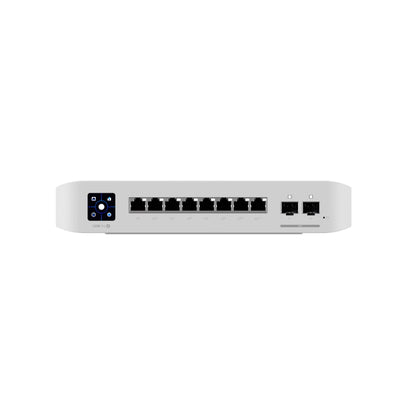
High-end tri-band router Unifi |
$500–700 |
|
Mesh systems |
Whole-Business and home coverage |
$600 per node |
Should You Upgrade?
Skip it if: you're already on Wi-Fi 6 with an internet plan capped at 1Gbps or below you won't notice much difference day to day.
Consider it if: you're still running Wi-Fi 5 gear, have access to a faster fibre plan, or have a busy household with a lot of simultaneously connected devices (streaming, gaming, smart home devices all at once).
Worth knowing: Wi-Fi 8 development is already underway, so if your current setup is working fine, there's a reasonable case for waiting rather than upgrading twice in quick succession.
Frequently Asked Questions
Do I need Wi-Fi 7 devices to benefit from a Wi-Fi 7 router?
Yes, largely. A Wi-Fi 7 router will work with older devices, but those devices won't be able to use Multi-Link Operation or the wider 320MHz channels the features that make Wi-Fi 7 meaningfully different. Without compatible client devices, a mid-tier Wi-Fi 6 router will perform similarly for everyday use.
Will Wi-Fi 7 make my internet faster?
Only up to the speed your internet plan actually delivers. Since most residential plans cap around 1Gbps, the bigger real-world benefit is lower latency and handling more connected devices at once, not a faster top speed.
Is it worth buying a budget Wi-Fi 7 router instead of a Wi-Fi 6 one?
If the price difference is small, yes it future-proofs you for when more of your devices support the standard. Just don't expect an immediate, dramatic difference from a budget model alone.
Should I wait for Wi-Fi 8 instead?
If your current network is working well and you're not chasing extra device capacity right now, waiting is a reasonable option. There's no firm date for mainstream Wi-Fi 8 availability yet.
Hyetech supplies and supports business IT across Victoria, with stores in Narre Warren, Chadstone and Richmond.